Appointment no shows create a problem that goes beyond an empty calendar slot. A missed appointment can waste staff time, reduce capacity, disrupt schedules, and create another task for a team that is already busy.
Traditional reminders help patients remember an appointment, but a reminder alone does not always solve the reason someone will not attend. A patient may need to reschedule, ask a question, cancel, or simply confirm that the appointment still works.
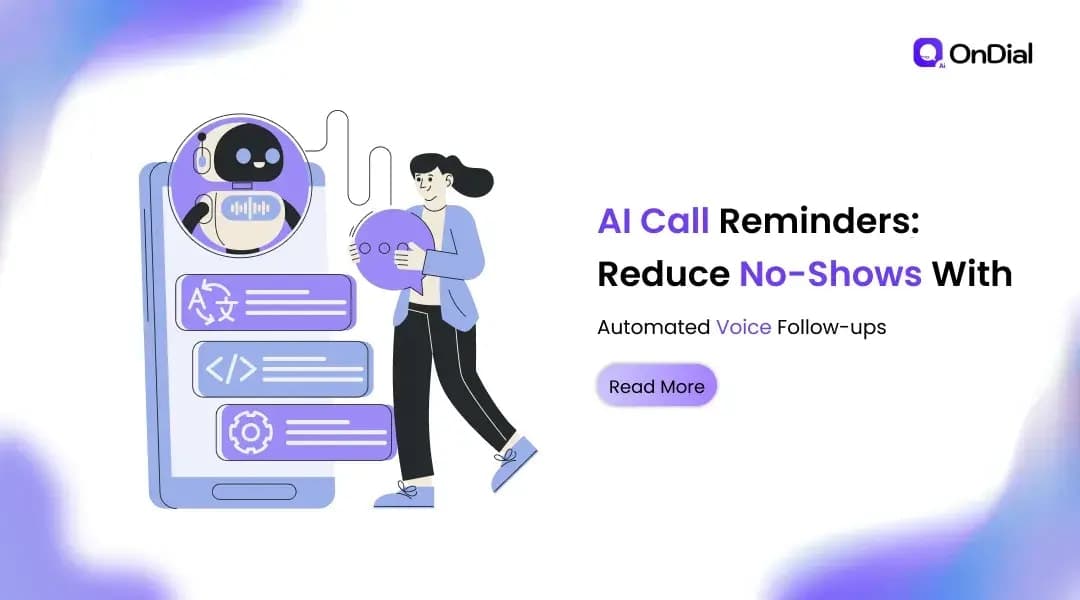
AI call reminders address this gap through two way voice conversations. Instead of sending a notification and waiting for the customer to take the next step, an AI voice agent can call, confirm the appointment, understand the response, and take an appropriate action.
For healthcare providers, clinics, diagnostic centers, salons, education businesses, professional services, and other appointment based organizations, this creates a more complete reminder workflow.
What Are AI Call Reminders?
AI call reminders are automated outbound phone calls made by an AI voice agent before a scheduled appointment, booking, consultation, class, service visit, or other time sensitive event.
The agent can use information from a scheduling system or CRM to identify the customer, appointment time, service, and other approved details. It then conducts a short conversation designed around the business workflow.
A basic reminder may ask whether the customer still plans to attend. A more capable system can also handle responses such as:
Confirming the appointment
Requesting a different time
Cancelling the appointment
Asking for basic appointment information
Requesting a callback from a member of staff
Following an escalation process when the customer cannot be reached
This makes an AI reminder different from a prerecorded robocall. The purpose is not simply to play a message. The purpose is to understand the response and move the appointment workflow forward.
For organizations looking to automate the wider appointment process, AI voice agents for appointment scheduling can also support booking, cancellation, and scheduling workflows.
Why Reminder Calls Can Reduce No Shows
No shows often happen for several different reasons. Someone may forget the appointment, realize that the scheduled time no longer works, misunderstand the appointment details, or intend to reschedule but never contact the business.
A text or email can remind someone that an appointment exists. It does not necessarily remove the next step.
A conversational call can reduce that friction by asking for a decision and responding to it immediately.
Confirmation creates a clear next step
A reminder call can ask a direct question such as whether the customer can attend the scheduled appointment.
If the customer confirms, the business receives a clear outcome. If the customer cannot attend, the conversation can move toward rescheduling or cancellation instead of leaving the customer to contact the business later.
This distinction matters because the objective is not simply to remind people. The objective is to obtain an actionable appointment outcome.
Rescheduling prevents avoidable no shows
Rescheduling is one of the most important capabilities in an automated reminder workflow.
Consider a patient who receives a reminder for an appointment tomorrow. The patient cannot attend because of a work commitment. A conventional reminder may leave the patient thinking that they need to contact the clinic.
An AI call can instead offer available alternatives when the required scheduling integration is available. The appointment can then be moved while the customer is already engaged.
The same principle applies to salons, coaching centers, repair services, consultations, and other businesses that depend on scheduled time slots.
Follow ups recover customers who do not answer
Not every customer will answer the first call.
An effective reminder workflow should therefore define what happens when a call is unanswered. Depending on the business process, the system can retry later, use another approved communication channel, or flag the appointment for staff follow up.
The exact number of attempts should be based on customer preferences, calling regulations, appointment value, and the organization's communication policy rather than using the same sequence for every business.
How an AI Appointment Reminder Call Works
A reliable reminder workflow usually connects several systems rather than operating as an isolated phone bot.
Step 1: Connect appointment data
The AI calling system needs access to the information required for the reminder.
This may come from a calendar, CRM, booking platform, practice management system, or another scheduling application.
Typical information can include the customer's name, phone number, appointment date, appointment time, service type, and approved instructions.
Only the information necessary for the conversation should be made available to the agent.
Step 2: Define the reminder rules
The business decides when reminder calls should happen.
For example, a clinic may choose one reminder before an appointment and another closer to the scheduled time. A salon may use a different cadence for high demand appointments. A field service company may need a reminder before the technician travels to the customer's location.
The workflow should also define retry rules, calling hours, escalation conditions, and what happens after a cancellation or rescheduling request.
Step 3: Start the voice conversation
The AI agent calls the customer and identifies the reason for the call.
A simple conversation could follow this structure:
"Hello, this is the automated assistant calling from your clinic. I am calling to confirm your appointment tomorrow at 3 PM. Will you be able to attend?"
The customer may respond that they can attend, need another time, or cannot make the appointment.
The agent then follows the approved workflow rather than treating every response as a simple confirmation.
Step 4: Take action
If the customer confirms, the result can be recorded.
If the customer wants to reschedule, the agent can check available options when connected to the appropriate scheduling system. If the customer wants to cancel, the cancellation can be recorded and the slot can become available for another customer.
For more complex requests, the AI can route the conversation to a human team member.
Step 5: Update the business system
The result of the call should not remain inside the voice platform.
Confirmation, cancellation, rescheduling, no answer, and escalation outcomes should be written back to the relevant business system wherever the integration supports it.
This creates a consistent record for staff and reduces the risk of someone calling a customer again after the appointment has already been confirmed or moved.
What Makes Conversational Voice Better Than a Basic Reminder?
The value of AI call reminders does not come from replacing one communication channel with another. It comes from reducing the number of steps between a reminder and an outcome.
A conventional message may require the customer to read the notification, decide what to do, find the company's contact information, contact the business, wait for assistance, explain the situation, and complete the rescheduling process.
A conversational voice workflow can combine several of those steps into one interaction.
Voice creates two way communication
The customer can speak naturally instead of selecting a button or writing a response.
This can be particularly useful when the appointment involves older customers, customers who prefer phone communication, or customers who are more comfortable speaking in a regional language.
The conversation can handle context
A customer may say, "I cannot come tomorrow, but Thursday afternoon works."
A conversational AI system can be designed to recognize that the customer is requesting a schedule change and continue according to the configured workflow.
This is fundamentally different from a prerecorded message that can only deliver information.
The system can involve a human when needed
Automation should not mean that every conversation must remain with AI.
A well designed workflow should define situations where the AI stops and transfers or escalates the interaction. This is especially important for healthcare questions, complaints, sensitive requests, exceptions, and conversations outside the agent's approved scope.
Key Features to Look For in an AI Reminder System
Choosing an AI calling platform requires more than listening to how natural the voice sounds.
Calendar and CRM integration
The system should connect with the tools already used by the business.
Without reliable data synchronization, staff may still need to manually update appointments, which removes much of the operational benefit.
Real time rescheduling
The ability to offer alternative appointment times during the call can turn a potential no show into a completed booking.
The system should be able to respect actual availability rather than offering fixed or outdated slots.
Multilingual conversations
Language support is particularly important for organizations serving diverse populations.
For Indian businesses, this can include English alongside Hindi and relevant regional languages. The quality of the conversation also matters. A system should be evaluated using real examples from the customer base rather than relying only on a list of supported languages.
Call outcome tracking
Managers should be able to understand what happened after each reminder.
Useful outcomes include confirmed, rescheduled, cancelled, no answer, callback requested, and transferred to staff.
These outcomes can reveal where the reminder workflow is working and where customers continue to drop out.
Retry and escalation controls
The platform should provide control over what happens when a customer does not answer.
Businesses may need different rules for different appointment types, customer segments, or operating hours.
Privacy and compliance controls
Appointment reminders can involve personal information, particularly in healthcare.
Businesses should evaluate how the platform handles data access, storage, recordings, transcripts, consent, retention, security, and applicable regulations before deploying automated calling.
AI Call Reminder Use Cases Across Industries
AI reminder calls are not limited to medical appointments.
Healthcare and medical practices
Healthcare organizations can use voice reminders for consultations, diagnostic tests, follow up visits, vaccinations, and other scheduled interactions.
The AI can confirm attendance, provide approved preparation information, support rescheduling, and escalate questions that require clinical staff.
Organizations evaluating healthcare specific AI voice automation can explore AI voice agents for healthcare and medical providers.
Salons and wellness businesses
Salons and wellness businesses often depend on tightly managed appointment calendars.
Automated calls can confirm bookings, handle rescheduling requests, remind customers about upcoming sessions, and support waitlist workflows when a slot becomes available.
Education and coaching
Training centers and coaching organizations can use reminder calls for classes, assessments, consultations, parent meetings, and scheduled counseling sessions.
The conversation can confirm attendance and identify when a student or parent needs a different time.
Home and professional services
For repair companies, maintenance providers, cleaning services, and field technicians, missed appointments can result in wasted travel and staff capacity.
A reminder call can confirm that the customer will be available before the technician begins the journey.
Consultations and professional appointments
Law firms, financial service providers, real estate businesses, and other professional organizations can use appointment calls to confirm meetings and reduce scheduling gaps.
The workflow can also route questions or changes to the appropriate team.
How to Measure Whether AI Call Reminders Are Working
A reminder system should be measured using business outcomes rather than call volume alone.
Start with a baseline. Measure the number of scheduled appointments, confirmed appointments, cancellations, reschedules, no answers, and no shows before automation.
After deployment, compare the same metrics over a meaningful period.
Track confirmation rate
Confirmation rate shows how many customers provide a clear attendance response after receiving the reminder.
A rising confirmation rate can indicate that the reminder workflow is reaching customers effectively.
Track rescheduling recovery
A customer who cannot attend is not necessarily a lost appointment.
Measure how many customers who initially planned to miss an appointment successfully move to another available slot.
This metric can be more useful than confirmation rate alone because it measures whether the system is recovering appointment capacity.
Track no show rate
The most important metric is whether the actual no show rate changes after the workflow is introduced.
Compare results against a baseline and account for factors such as seasonality, appointment type, customer mix, and changes in booking volume.
Track staff time saved
Manual reminder calls can consume significant staff capacity.
Measure how much time employees previously spent building call lists, dialing customers, documenting outcomes, and handling basic rescheduling requests.
Automation should give that time back to higher value work.
How to Implement AI Call Reminders Without Creating a Poor Customer Experience
Automation can make reminder operations better, but only when the workflow is designed around the customer.
The first step is to keep calls concise. Customers generally do not need a long explanation. They need clear appointment information and an easy way to confirm or change it.
The second step is to avoid unnecessary questions. The agent should only request information required to complete the approved workflow.
The third step is to make escalation easy. If a customer asks something outside the AI's scope, the system should provide a clear path to a human rather than repeatedly attempting to answer.
The fourth step is to respect communication preferences and applicable calling requirements. Businesses should establish appropriate consent, calling hours, frequency limits, and data handling practices before launching automated outbound calls.
Finally, test the workflow with real scenarios. Include confirmations, cancellations, rescheduling requests, unanswered calls, ambiguous responses, language changes, and requests that require human assistance.
The Role of AI in No Show Reduction
AI call reminders are most effective when treated as an appointment workflow rather than a simple notification tool.
The system starts with appointment data, contacts the customer, conducts a two way conversation, captures the outcome, and updates the business system. When the customer cannot attend, the most valuable next step is often to make rescheduling simple.
That approach helps businesses address the practical reasons behind no shows instead of simply sending more reminders.
For organizations already using AI voice automation, appointment reminders can also become part of a broader customer communication workflow covering inbound calls, appointment booking, follow ups, notifications, surveys, and customer support.
OnDial provides AI voice automation designed to handle these conversations across business workflows, with capabilities for inbound and outbound calling, appointment scheduling, multilingual communication, integrations, analytics, and human escalation.
The goal is not to automate every customer interaction. The goal is to remove repetitive communication work while making it easier for customers to confirm, change, or complete an appointment.