Someone may want to book an appointment, ask about a product, check an order, request support, enquire about a property, or speak with a sales representative. When that call goes unanswered, the business does not just miss a conversation. It may miss the opportunity to understand what the customer wanted in the first place.
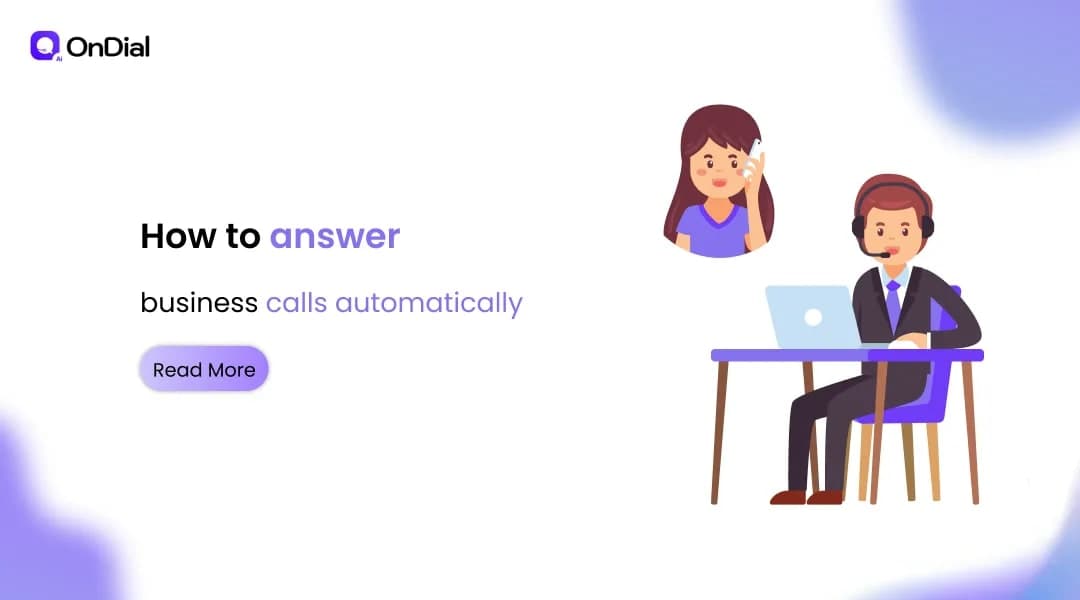
That is why businesses are increasingly using AI voice agents to answer calls automatically.
An AI phone answering system can respond to inbound calls, understand what the caller needs, provide relevant information, collect details, schedule appointments, update business systems, and transfer conversations to human employees when necessary.
The important distinction is that modern AI call answering is not simply automated call routing. A capable system can understand natural speech and take business actions during the conversation.
Why Businesses Need Automatic Call Answering
Traditional phone handling depends heavily on availability.
A receptionist may be helping another customer. A sales representative may be in a meeting. A support team may already be handling several conversations. Outside business hours, there may be nobody available at all.
This creates several common problems.
Missed calls become missed opportunities
An unanswered call gives the customer no immediate path forward.
For a sales-driven business, that could mean losing a new enquiry. For a clinic, it could mean losing an appointment request. For a property business, it could mean delaying a high-intent buyer.
The problem becomes more serious when marketing campaigns, seasonal demand, or business growth suddenly increase call volume.
Staff spend time on repetitive conversations
Many inbound calls involve questions that follow predictable patterns.
Customers may ask about opening hours, availability, pricing, appointment slots, delivery status, service areas, or basic policies. Having employees answer every routine question can consume time that could otherwise be spent on complex customer needs.
After-hours demand does not stop
Customers do not necessarily call when a business is staffed.
An AI voice agent can provide a first response outside normal working hours and continue handling suitable requests without requiring an employee to remain available.
For businesses operating across multiple time zones, this can also create a more consistent customer experience.
What Is an AI Business Call Answering System?
An AI business call answering system is a voice-based AI solution that handles incoming phone conversations on behalf of a business.
Instead of sending every caller through a fixed IVR menu, the system can interpret natural language and determine what the caller is trying to accomplish.
For example, a caller might say:
"I want to know if you have an appointment available tomorrow afternoon."
The AI can identify the intent, check the relevant availability, offer suitable options, confirm the caller's choice, and complete the next step if the required integrations are available.
This makes the phone conversation part of the business workflow rather than a separate communication channel.
Businesses can use AI voice agents for inbound customer support, sales enquiries, lead qualification, appointment scheduling, order-related questions, reminders, surveys, and other repeatable conversations. OnDial's current platform positioning includes inbound and outbound call handling, appointment scheduling, lead qualification, CRM connectivity, multilingual communication, and call analytics.
How AI Answers Business Calls Automatically
A useful way to understand automatic call answering is to follow the conversation from the first ring to the final outcome.
1. The AI answers the incoming call
The customer calls the existing business number.
The AI voice agent answers according to the configured greeting, business identity, language preferences, and call flow.
The objective is simple: establish the conversation immediately rather than forcing the caller to wait for an available employee.
2. The AI identifies the caller's intent
The caller explains why they are calling.
The system analyzes the spoken request and identifies the relevant intent.
For example, the caller may want to:
Make an appointment
Reschedule a booking
Ask about a product
Request customer support
Enquire about a property
Check service availability
Speak with sales
Follow up on an existing request
The system can then select the appropriate workflow instead of treating every call in the same way.
3. The AI collects the required information
Different workflows require different information.
A real estate enquiry may require property preferences, budget, location, and purchase timeline. An appointment request may require the service, preferred date, and customer information.
A good AI voice workflow should collect only the information necessary for the next action.
4. The AI takes action
This is where automatic call answering becomes more valuable than a simple voice bot.
Depending on the configured workflow, the AI can schedule an appointment, capture a lead, update a CRM record, provide information, initiate a follow-up, or transfer the caller to a human.
For appointment-driven businesses, AI can connect the conversation with live calendar availability and write confirmed bookings into connected systems.
5. The AI transfers complex calls when necessary
Automation should not mean forcing every conversation through AI.
Some requests require human judgement, sensitive handling, negotiation, or specialist knowledge.
A properly designed workflow can identify those situations and transfer the caller to an employee with relevant context. This reduces the need for customers to repeat everything they already explained.
AI Call Answering vs Traditional Phone Handling
The biggest difference is not simply whether someone answers the phone.
It is what happens after the call is answered.
Traditional phone handling often depends on a person being available, remembering the conversation, and manually entering information into business systems.
AI call automation can connect these stages into one workflow.
Area | Traditional phone handling | AI call answering |
Availability | Depends on staff coverage | Can operate continuously |
Routine questions | Handled manually | Automated |
Lead capture | May require manual notes | Structured capture |
Appointment booking | Staff checks availability | Can connect with calendars |
CRM updates | Often manual | Can be automated |
Call routing | Rules or transfers | Intent-based routing |
Call analytics | Limited without dedicated tools | Conversation data can be analyzed |
Peak call volume | Requires additional staff | Can scale with demand |
The right choice is not necessarily AI instead of people.
For many businesses, the stronger model is AI handling predictable, high-volume conversations while employees focus on calls that require judgement and personal attention.
What Can AI Do During a Business Call?
Automatic answering is only the starting point.
A business should define what the AI is actually expected to accomplish during each type of call.
Answer common customer questions
AI can provide approved information about services, business hours, locations, policies, availability, and other frequently requested details.
The information should come from a controlled business knowledge source so responses remain aligned with the company's actual policies.
Capture and qualify leads
Instead of simply taking a message, the AI can ask qualifying questions.
For example, a sales workflow might identify the customer's requirement, urgency, location, budget range, or preferred service.
The resulting information can then be passed to the sales team.
Schedule appointments
Appointment scheduling is one of the clearest applications for AI phone answering.
The AI can understand the requested service, check availability, offer suitable times, confirm the selection, and trigger the relevant confirmation workflow.
This is particularly useful for healthcare, real estate, automotive, education, home services, and other appointment-based businesses.
Route calls intelligently
Not every caller belongs with the same department.
An AI system can identify the purpose of the call and route it according to predefined business rules.
For example, a support issue can go to customer service while a high-intent sales enquiry can go directly to the sales team.
Update the CRM
A phone conversation creates useful business information.
If that information remains only inside the call, employees may have to manually reconstruct the conversation later.
AI CRM integration can convert conversation details into structured records, including call outcomes, qualification information, follow-up actions, and other configured fields.
Which Businesses Benefit From Automatic Call Answering?
AI call answering is especially useful when phone calls are frequent, repetitive, time-sensitive, or directly connected to revenue.
Healthcare
Healthcare organizations can use AI to handle appointment requests, rescheduling, reminders, basic enquiries, and routing.
The workflow should be carefully designed around privacy, consent, escalation, and the type of information the AI is permitted to provide.
Real Estate
Property businesses often receive enquiries outside normal office hours.
An AI voice agent can answer property questions, qualify prospects, collect requirements, schedule viewings, and route high-intent leads to agents. OnDial's real estate workflow specifically supports property enquiries, lead qualification, viewing scheduling, follow-ups, and tenant support.
Retail and E-commerce
Retailers can use voice automation for product enquiries, order-related questions, delivery updates, returns, and customer support.
This can be especially useful during seasonal peaks when call volume increases faster than support capacity.
Education
Educational institutions can automate enquiries about admissions, courses, counselling appointments, application status, and reminders.
AI can provide first-line assistance while routing more complex admissions conversations to staff.
Call Centers and BPOs
BPOs can use AI voice agents for repetitive inbound interactions, overflow handling, qualification, and specific customer service workflows.
The goal is not necessarily to remove human agents. It is to give them fewer repetitive interactions and better context when escalation is required.
What Features Should You Look For?
Choosing an AI phone answering system requires more than checking whether it can speak.
The important question is whether the system can reliably complete the workflows your business needs.
Natural conversation
The AI should be able to handle normal speech rather than requiring customers to use rigid commands.
Interruptions, clarifications, pauses, accents, and changes in direction are normal parts of real conversations.
Multilingual communication
Language can significantly affect customer experience, particularly in multilingual markets such as India.
Businesses serving customers across regions should evaluate whether the system supports the languages, accents, and code-switching patterns relevant to their customers.
Business system integrations
The AI should connect with the systems that employees already use.
Depending on the workflow, this could include CRM platforms, calendars, help desks, telephony systems, messaging channels, or internal APIs.
Human handoff
A strong system needs a clear escalation path.
When the AI cannot safely or accurately complete a request, transferring the call to a person should be straightforward.
Conversation analytics
Call data can reveal more than call volume.
Businesses can analyze common customer intents, outcomes, recurring questions, escalation reasons, and other patterns to identify where processes need improvement.
How to Implement Automatic Call Answering
The implementation should begin with business workflows rather than technology.
Step 1: Identify the calls you want to automate
Review recent call logs and group calls by purpose.
Start with high-volume, repetitive requests that have clear outcomes.
Step 2: Define the AI's responsibilities
Document what the AI can answer, what information it can collect, what actions it can take, and when it must transfer to a person.
This creates clear boundaries.
Step 3: Connect the required systems
Connect the AI to the relevant CRM, calendar, knowledge source, telephony infrastructure, or other business systems.
The integration determines what the AI can actually accomplish during a conversation.
Step 4: Test real conversations
Do not test only perfect questions.
Use interruptions, background noise, regional accents, incomplete information, unexpected questions, and callers who change their minds.
The objective is to evaluate the system under realistic conditions.
Step 5: Start with a focused workflow
A business does not need to automate every call on day one.
Start with one workflow, measure its performance, review conversations, and expand once the process is reliable.
Common Mistakes to Avoid
Automating without defining the objective
An AI answering every call is not automatically useful.
The business should know whether the goal is lead capture, appointment booking, customer support, qualification, routing, or another measurable outcome.
Giving the AI too much freedom
Business voice automation needs boundaries.
The AI should know which information it can provide, which actions it can perform, and when it must escalate.
Ignoring the human handoff
Some conversations will always need people.
A smooth transfer is part of the customer experience, not a failure of automation.
Measuring only answer rate
Answering every call is useful, but it is not the final business outcome.
Also measure completed bookings, qualified leads, successful resolutions, transfers, customer outcomes, and other metrics that match the workflow.
How to Know If AI Call Answering Is Working
The most useful measurement framework connects phone activity with business outcomes.
Track metrics such as:
Answer rate
Call completion rate
Qualified leads captured
Appointments booked
Calls transferred to humans
Resolution rate
Average handling time
Customer satisfaction
CRM data completeness
After-hours call outcomes
For sales teams, the important question may be how many qualified opportunities were created.
For healthcare, it may be completed bookings and successful reminders.
For customer support, resolution and escalation rates may matter more.
The metric should follow the purpose of the workflow.
The Future of Automatically Answered Business Calls
Business phone systems are moving from simple call routing toward conversational workflows.
The phone is becoming another interface through which customers can interact with business systems.
Instead of answering a question and ending the call, an AI voice agent can potentially understand the request, retrieve information, update records, schedule an appointment, trigger a follow-up, and escalate when needed.
That makes voice automation less about answering phones and more about completing customer journeys.
For businesses evaluating this transition, the priority should remain practical: start with a clear workflow, establish safe boundaries, connect the necessary systems, test real conversations, and measure outcomes.
Conclusion
Learning how to answer business calls automatically is no longer simply a question of replacing a receptionist with software.
The real opportunity is to connect phone conversations with the work that needs to happen after someone calls.
An effective AI voice agent can answer inbound calls, understand intent, capture information, schedule appointments, qualify leads, update business systems, and transfer complex conversations to employees.
For Indian and global businesses, the strongest approach is usually a hybrid one. Let AI handle predictable, high-volume conversations while people focus on situations where judgement, empathy, negotiation, or specialist expertise matter most.
If your business is losing calls because employees are unavailable, demand changes throughout the day, or repetitive phone work is consuming valuable staff time, automatic call answering can provide a practical starting point for voice automation.
OnDial provides AI voice agents designed to handle business calls and connect conversations with operational workflows. Explore OnDial AI Voice Agents