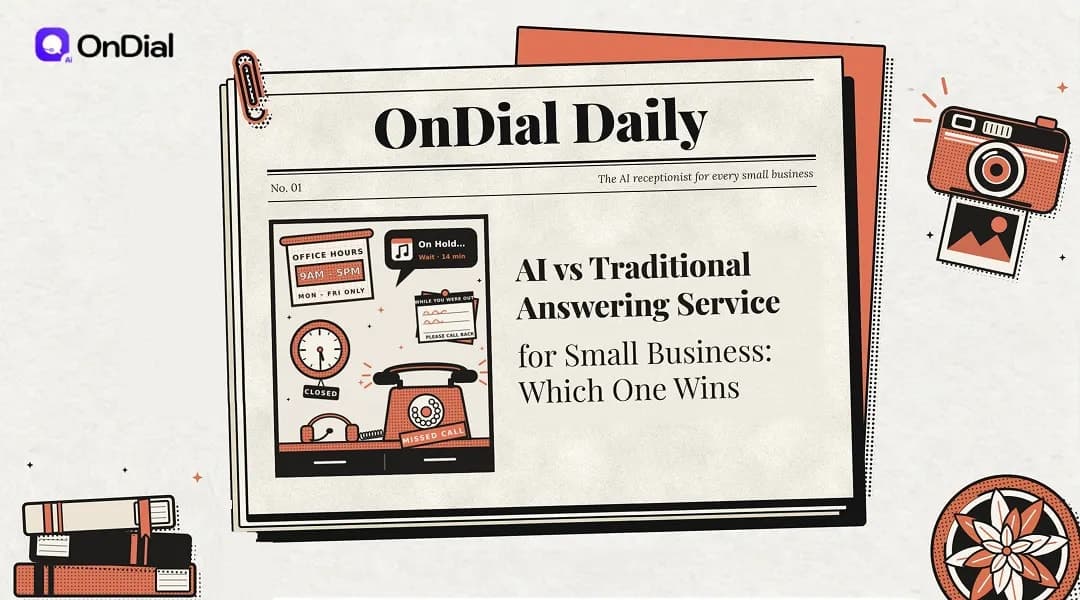
Choosing an answering service for small business used to mean one thing: paying a call center so a live operator could take messages when you couldn't. Today you can also hand those calls to an AI voice agent that picks up instantly, books appointments, and sends you a written summary. Both options solve the same problem, which is missed calls turning into lost customers, but they work in very different ways and at very different prices.
Here is the short answer. AI answering wins for most small businesses whose calls are routine (booking, pricing, hours, and new-lead intake) because it costs less and covers nights and weekends without surcharges. A traditional service still wins when calls are emotional, high-stakes, or need human judgment in the first few seconds. Many owners end up with a mix of both, and the rest of this guide shows you how to work out your own split.
What Is an Answering Service for Small Business?
A small business answering service is an outside provider that picks up your calls when you or your team can't, then takes a message, answers basic questions, books an appointment, or transfers the caller. Some providers use trained human operators in a call center. Others use AI receptionists, which are software systems that listen, understand, and reply in a natural-sounding voice.
The goal is the same either way: a caller reaches someone (or something) helpful instead of voicemail. The differences show up in cost, hours of coverage, how much the answerer actually knows about your business, and what lands in your inbox after the call.
How a Traditional Answering Service Works
A traditional answering service routes your calls to a shared team of live operators who answer in your company's name and follow a script you provide. During onboarding, you hand over your FAQs, call-handling rules, and transfer instructions. When a call comes in, an available operator picks it up, works through your script, and sends you the message by email, text, or app.
Because each operator usually covers many client businesses during a shift, their knowledge of your company is only as deep as the notes you wrote. That works well for message-taking and simple questions. It falls short when a caller asks about your pricing, next free slot, or a job you did last month.
How human services bill you
Human services usually charge in one of two ways: by the minute or by the call. Per-minute providers sell monthly bundles of receptionist time, and published entry plans from established US services start at about $250 a month for just 50 minutes. Per-call providers sell bundles of calls instead, with entry plans around $300 a month for 30 calls and overage fees of more than $10 for each extra call.
Add-ons can push the total higher. Many human services charge an extra per-call fee for appointment booking, call recording, or a bilingual line on top of the plan price. Neither billing model is wrong, but both reward you for predicting your call volume accurately and both get expensive in a busy month.
How an AI Answering Service Actually Works
An AI answering service connects your phone line to a chain of software components that hear the caller, decide what to say or do, and speak back in a synthetic voice in close to real time. Here is the typical end-to-end flow in most implementations:
Call forwarding. Your existing number forwards calls to the AI platform (all calls, after-hours calls only, or only the ones you don't pick up), so you keep your number.
Speech recognition. A speech-to-text model converts the caller's words into text as they talk.
Understanding and reasoning. A large language model (LLM), the same kind of technology behind chat assistants, reads that text alongside a knowledge base you supply, such as services, prices, hours, service area, and policies.
Actions through integrations. If the caller wants something done, the system can check your calendar, book a slot, or log a lead in your CRM (customer relationship management software), depending on which tools it connects to.
Voice response. A text-to-speech engine turns the reply into natural-sounding audio.
Escalation rules. If the request falls outside approved topics or the caller asks for a person, the call transfers to a human or becomes a detailed message.
After-call record. You receive a transcript, a summary, and structured fields (name, number, reason for calling) instead of a scribbled note.
Steps 3 and 4 are where providers differ most. A system with a thin knowledge base will sound fluent but say very little, while one connected to your real calendar and CRM can finish the job on the first call. When you trial any platform, test the actions, not just the voice.
Live Answering vs AI: Side-by-Side Comparison
Choosing between human operators and AI comes down to a trade: humans bring judgment and empathy, while AI brings instant pickup, round-the-clock coverage, consistent answers, and a lower cost per call. The table below compares the two on the factors that matter most to a small team.
Factor | Traditional (human) answering service | AI answering service |
Typical pricing | Per minute or per call, plus overage | Flat monthly plan or usage-based, often lower per call |
Hours | 24/7 at many providers, limited or extra at others | 24/7 by default in most products |
Pickup speed | Depends on queue and staffing | Near-instant, no hold queue |
Simultaneous calls | Limited by staff on shift | Many at once, within plan limits |
Business knowledge | Limited to your script | Your full knowledge base, if you supply one |
Booking and CRM updates | Available at some providers, often as add-ons | Built in on many platforms |
Empathy and judgment | Strong | Limited, so escalation rules are needed |
Consistency | Varies by operator | Same answer to the same question |
Call records | Message notes, recordings sometimes extra | Transcript and summary on most plans |
Setup | Onboarding with an account team | Self-serve configuration in many cases |
These trade-offs also apply beyond inbound answering, for example when a business weighs outbound calling or an old press-1 phone menu. If you want that wider view, this breakdown of AI calling agent vs human agent compares AI agents, live staff, and IVR phone trees. It is worth reading if you plan to replace a phone menu at the same time as your answering service.
What Each Option Really Costs
What you actually pay each month depends on three numbers you can pull from your phone logs: calls per month, average call length, and the share of calls that need a human. Until you have those, headline plan prices tell you very little, and overage terms usually decide the final bill.
A worked example at 100 calls a month
Picture a home repair company that takes 100 calls a month averaging three minutes each, or 300 minutes in total. On published per-call pricing from a leading US provider, the cheapest fit is a 90-call plan at $810 plus 10 overage calls at $10.50, which comes to $915 a month before add-ons. On a per-minute service, 300 minutes is six times the size of a typical 50-minute entry plan, which at $250 a month works out to $5 per minute.
AI platforms typically price differently, through a flat monthly fee or a per-minute usage rate that sits well below the cost of operator labor. Get a written quote at your actual volume from each shortlisted provider, including overage terms and integration fees. Then compare totals, not headline plans.
What about hiring a receptionist?
An in-house receptionist is the most expensive way to cover the phones, though the role usually includes other office duties too. The US Bureau of Labor Statistics put the median receptionist wage at 37,230ayear(17.90 an hour) in May 2024, before payroll taxes, benefits, and paid leave. A 40-hour week also covers fewer than a quarter of the 168 hours in a week, so nights and weekends still need another solution.
The hidden cost: unanswered calls
The cost line that rarely appears on a quote is the revenue from calls nobody answers. Estimate it yourself by taking last month's missed calls, multiplying by your typical close rate, and multiplying again by your average job value. If that figure is larger than any plan above, coverage matters more than which provider is cheapest.
Where Human Operators Still Win
Human operators still win on calls where tone, judgment, and reassurance matter more than speed. These are the situations where a trained person tends to outperform software:
Emotional or distressing calls. A caller reporting a family emergency or a frightening situation usually needs a calm human voice, not a scripted flow.
High-value relationships. Boutique law practices, wealth advisers, and luxury services often sell trust first, and a single client can be worth far more than a year of answering fees.
Unstructured conversations. Disputes, negotiations, and complex complaints rarely follow a predictable path.
Callers who refuse software. Some people hang up as soon as they realize they are talking to AI.
Warm transfers. Many human services can brief you on the caller before connecting them, which not every AI product supports.
Customer sentiment backs this up. In a Gartner survey of 3,566 B2B and B2C customers, 87% said companies using generative AI for service must still offer a way to reach a human agent, even though 50% said AI made their interactions easier. That reads less like a vote against AI and more like a demand for a clear exit to a person.
Where AI Answering Pulls Ahead
AI answering pulls ahead whenever most of your calls are repetitive, time-sensitive, or arrive outside office hours. In those conditions, speed and coverage matter more than a human touch. The biggest advantages show up in five places:
After-hours and weekend calls, typically with no night or holiday surcharge.
Overflow during rush periods, because the system can take several calls at the same time.
Structured intake, with the same fields captured on each call instead of free-form notes.
Booking on the call, which closes the loop instead of creating a message and a callback.
Searchable records, since transcripts let you review exactly what was said.
A two-van plumbing business shows how this plays out. The owner is under a sink at 4 p.m. when three calls land at once: a new leak, a quote request, and a supplier. An AI agent can take all three, book the leak into tomorrow's first slot, log the quote request, and flag the supplier for a callback, while a single operator would handle them one at a time.
Limitations: What an AI Answering Service Can't Do Well
An AI answering service handles routine conversations well, but it has clear limits you should plan around before you switch. Most of them can be managed with good setup, but you need to know them going in.
It only knows what you teach it. Gaps in your knowledge base lead to vague answers, and an outdated price list gets repeated with perfect consistency.
It can sound confident and still be wrong. Language models can produce plausible but incorrect answers, so restrict the AI to approved topics and route everything else to a person.
Audio quality affects accuracy. Background noise, poor cell connections, and strong accents can reduce recognition accuracy, depending on the provider.
Empathy is simulated. The AI can use polite, reassuring language, but it can't read a caller's emotional state the way a trained person can.
Transfers vary. Some products only offer cold (blind) transfers, where you pick up without context about the conversation.
You depend on the platform. Outages and latency spikes happen, so ask what your callers hear if the service is unavailable.
This isn't the right fit for every business. If most of your calls are sensitive conversations, an AI front line may add friction rather than remove it. In that case, keep humans on the phones and use AI only for after-hours messages.
Disclosure and Call Recording Rules to Check First
Before an AI answers your phones, check two legal questions: whether you must tell callers they are talking to AI, and whether you need consent to record the call. Rules differ by location, and both affect how you write your greeting.
On disclosure, the rules are spreading. Article 50 of the EU AI Act, whose transparency obligations now apply, requires AI systems that interact directly with people, including automated phone assistants, to be designed so people know they are dealing with AI unless that is obvious. In the US, Utah's Artificial Intelligence Policy Act requires disclosure of generative AI when a consumer clearly asks, and up-front disclosure in certain high-risk interactions within regulated occupations.
Recording is a separate question. Federal law and most US states allow recording with one party's consent, but California and roughly a dozen other states require all parties to agree, and California's courts have applied its rule to out-of-state businesses recording calls with California clients. A short greeting such as "This call is recorded and handled by our AI assistant" covers both points, but confirm the requirements for your location with a qualified adviser.
The Hybrid Setup Most Small Businesses Land On
A hybrid setup uses AI as the first line for routine and after-hours calls and sends anything sensitive or complex to a human, whether that's you, your staff, or a live service. It is the setup many owners settle on after trying one option alone. These are the four patterns that come up most:
Missed-call backup. Your team answers first, and unanswered calls roll over to the AI.
After-hours only. People cover business hours, and the AI takes nights, weekends, and holidays.
AI first with escalation. The AI answers everything and transfers by rule, such as keywords like "emergency," repeat callers, or VIP numbers.
AI plus a live service. The AI handles bookings and FAQs, while a human answering service takes complaints and difficult escalations.
Start with the narrowest pattern that fixes your biggest leak, which is usually missed calls or after-hours calls. Expand only after you have read a few weeks of transcripts and tuned your escalation rules. This keeps the risk low while you learn how your callers respond.
How to Choose: A Five-Step Decision Process
The fastest way to choose is to audit your real calls, sort them by the kind of handling they need, and price each option at your actual volume. Follow these steps in order:
Pull 50 recent calls. Use your phone logs or voicemail and note the reason for each call.
Sort them into three buckets. Routine (hours, prices, booking), structured but important (new-lead intake, quotes), and sensitive (complaints, emergencies, emotional calls).
Check when they arrive. Count how many land after hours, on weekends, or while you are on a job.
Price each model at your volume. Ask human services for per-minute or per-call totals with overage, and ask AI platforms for their total at your minutes, including integrations.
Run a two-week pilot. Forward only missed or after-hours calls first, read the transcripts, and fix your knowledge base before widening coverage.
If routine calls dominate your sample, AI is the logical first move. If sensitive calls dominate, a human service or a hybrid with fast escalation will likely serve you better. Let your own call data decide, not a vendor's average.
Once you know your split, the next step is comparing specific products on booking, integrations, escalation, and pricing. Not sure which tools belong on your shortlist? Our guide to the Best call answering system for SMBs walks through the options and what to check in each one.
The Verdict: Which One Wins for Your Business?
AI wins for most small businesses on cost, coverage, and consistency, while human operators win on empathy and judgment, so the strongest setup for many teams is AI first with a clear path to a person. The right choice is the one that fits the calls you actually get, not the one with the lowest sticker price. Run the five-step audit above before you sign anything.
Whichever route you take, judge it by results: how many callers get a useful answer, how many turn into booked jobs, and how often you still end up calling people back. Check those numbers once a month and adjust your escalation rules as your calls change.
If your audit shows mostly routine calls, the next step is to see what a modern AI voice agent can do on your own line. OnDial is one example of an AI voice agent platform built for this kind of call handling. Browse its Features page, compare what you find against the checklist in this guide, and decide which calls you want off your plate first.