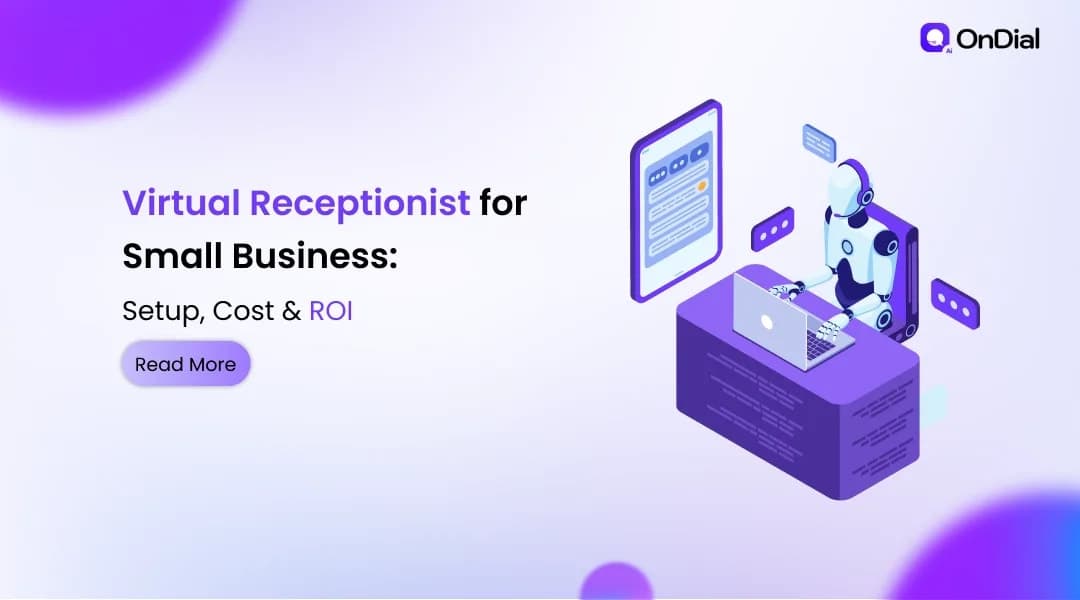
Every call your business misses is a customer deciding whether to wait or dial a competitor. For a small team that cannot always pick up, a virtual receptionist for small business is one of the fastest ways to answer every call without hiring another person. This guide covers what these services do, how the AI versions work under the hood, what they cost, how to set one up, and whether the return justifies the price. You are at the decision stage, so we will keep the theory short and put the numbers and trade-offs front and center.
What a virtual receptionist actually does
A virtual receptionist is a remote service, staffed by people or by AI, that answers your business calls, greets callers, answers common questions, books appointments, takes messages, and routes urgent calls to the right person. It does the phone-facing part of a front-desk job without sitting at your front desk. That is the whole idea in one sentence.
There are three flavors worth knowing before you shop. A live service uses human agents in a call center. An AI receptionist (also called an AI voice agent) uses software to hold a real conversation. A hybrid mixes both, sending routine calls to the AI and harder ones to a person. Each answers the same core tasks, so the real differences come down to cost, availability, and how well it handles the unusual call.
How an AI virtual receptionist works, step by step"
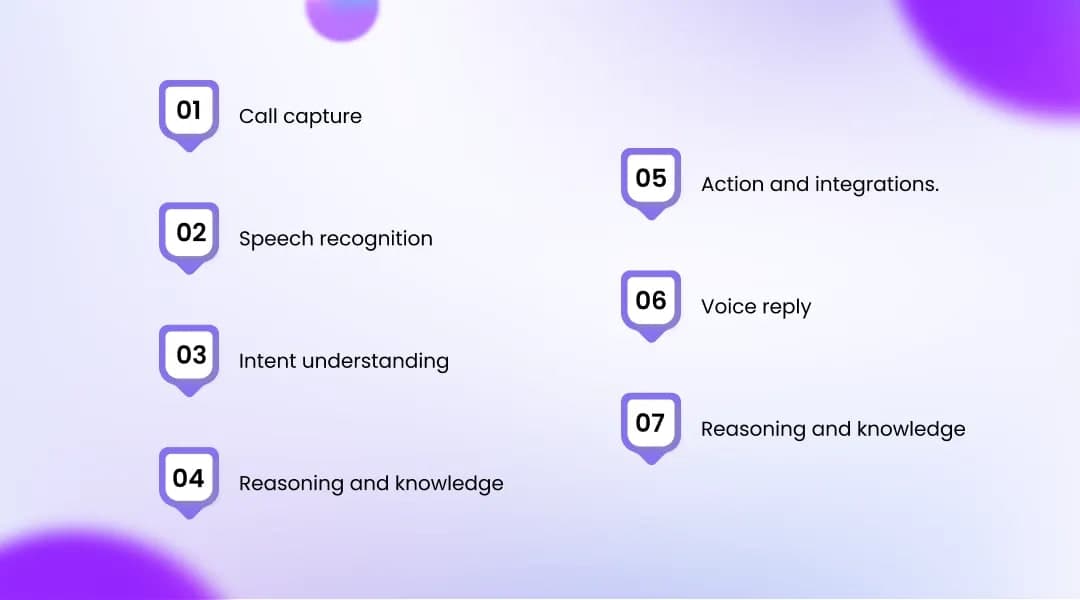
An AI virtual receptionist works by turning a caller's speech into text, deciding what they want, looking up your business details, taking an action, and speaking a reply back, all in the space of a normal conversation. Understanding the pipeline helps you judge which providers are serious and where things can break.
Here is the end-to-end flow most systems follow:
Call capture. You forward your business number to the service, so incoming calls ring through to the AI instead of voicemail.
Speech recognition. The system converts the caller's audio into text (this is speech-to-text, the same tech behind voice dictation).
Intent understanding. Natural language understanding, or NLU, figures out what the caller actually wants: book a job, ask a price, reach a human.
Reasoning and knowledge. A language model or scripted logic decides the response using the business details you loaded, such as hours, services, pricing, and FAQs.
Action and integrations. The system does something useful: books a slot in your calendar, logs the lead in your CRM, checks whether you serve the caller's area, or triages an emergency.
Voice reply. Text-to-speech turns the answer back into a natural-sounding voice the caller hears.
Handoff and summary. When a call is beyond its scope, it transfers to a person, then logs a transcript and summary so nothing gets lost.
The quality of steps 3 through 5 is what separates a helpful agent from a glorified phone menu. Ask providers how they handle interruptions, follow-up questions, and calls it cannot answer.
Virtual receptionist vs answering service vs full-time hire
The right choice depends on how many calls need real human judgment and whether you have walk-in visitors. An AI service wins on cost and coverage, a live answering service wins on the human touch for every call, and a full-time hire wins when someone has to physically be at a desk.
Factor | AI virtual receptionist | Live answering service | Full-time in-house hire |
Typical cost per month | $25 to $300 | $200 to $800 | $3,000 to $5,000+ |
Availability | 24/7 included | Business hours, 24/7 costs more | About 40 hours a week |
Calls at the same time | Many at once | Limited by staff on shift | One |
Complex or emotional calls | Escalates to a human | Strong | Strong |
Walk-in visitors and mail | No | No | Yes |
Setup time | Same day to a few days | Days to weeks | Weeks to hire and train |
Best for | Cost-conscious teams, after-hours, routine calls | Firms that want a person on every call | Offices with a real front desk |
Ranges vary by provider and call volume, so use this to narrow the category, then price the specific plans.
What a virtual receptionist can't do

A virtual receptionist cannot replace human judgment on every call, and no software handles every accent, every emotional caller, or every unusual request perfectly. Naming the limits up front saves you from a bad fit.
Here is where these services fall short, and it is worth being honest about it:
Hard or emotional calls. Depending on the provider, an AI agent may struggle with upset callers, layered problems, or negotiation, and will usually hand off to a person instead of pushing through.
No physical presence. It cannot greet walk-ins, accept a package, or handle anything that needs someone in the room.
Only as good as its setup. A thin knowledge base produces thin answers. If you skip the configuration, callers feel it.
Recognition gaps. Strong accents, background noise, or a poor connection can trip up speech recognition in some systems more than others.
Finite integrations. If your calendar or CRM is not supported, some of the automation you were promised will not happen.
If most of your calls need genuine human nuance, or your business runs on walk-in traffic, a hybrid or human option may serve you better than AI alone. This is one purchase where matching the tool to your call mix matters more than picking the cheapest plan.
How much does a virtual receptionist cost?
A virtual receptionist costs roughly $25 to $300 a month for a flat-rate AI service, about $200 to $800 a month for a live human service, and $3,000 to $5,000 or more a month for a full-time in-house hire. Prices shift often, so treat these as starting ranges and confirm current rates before you commit.
Option | Typical monthly cost | Coverage | Billing style |
AI virtual receptionist | $25 to $300 | 24/7 | Flat monthly fee |
Live answering service | $200 to $800 | Business hours, more for 24/7 | Per minute or per call |
Full-time in-house hire | $3,000 to $5,000+ | About 40 hours a week | Salary plus benefits |
The biggest surprise on your bill is usually the pricing model, not the headline number. Flat-rate plans charge one predictable fee no matter how busy you get. Per-minute and per-call plans look cheap on the brochure, then climb in your busiest months, which is exactly when a surprise stings most. Many human services also round each call up to the nearest 30 or 60 seconds, so a run of short 20-second calls can bill like full minutes.
If you want an affordable virtual receptionist that stays predictable, a flat monthly plan is usually the safest structure for a small business, because your cost does not spike when call volume does. Ask every vendor the same question: what does my bill look like in my busiest month, with your rounding rule applied?
The hidden fees that inflate the sticker price
Beyond the base plan, watch for setup or onboarding fees (often $50 to $200, sometimes higher), overage charges once you pass your included minutes or calls, after-hours or weekend premiums on some live services, and annual contracts with early-termination penalties. Ask for each of these in writing. A provider confident in its product will answer plainly.
Is a Virtual Receptionist for Small Business Worth It?
A virtual receptionist for small business usually pays for itself when it captures even one or two extra jobs a month that voicemail would have lost. The math is simple enough to run on a napkin, and it is more honest than any vendor's ROI badge.
Start with your own numbers. Estimate the calls you miss in a month, multiply by the share you would normally close, then multiply by your average job value. If you miss 20 calls a month, close 1 in 4, and an average job is worth $400, that is about $2,000 in monthly revenue walking out the door. Against a $99 to $199 plan, the return is not close.
The hiring comparison is just as stark. The U.S. Bureau of Labor Statistics reported a median wage of $37,230 a year for receptionists in May 2024, and once you add benefits and payroll taxes the real cost climbs higher, all for roughly 40 hours of coverage a week. An AI service answers nights, weekends, and holidays for a fraction of that.
Be careful with the scary industry stats, though. The widely quoted claim that most small business calls go unanswered traces back to one small study of 85 businesses across 58 industries, and miss rates vary a lot by trade and time of day. Your real miss rate is the only one that matters, so pull it from your own call logs before you decide.
Plenty of small businesses publish before-and-after results you can sanity-check against your own situation. If OnDial is on your shortlist, its Case Studies show how similar businesses handle real call volume.
Virtual receptionist setup, step by step
Virtual receptionist setup usually takes anywhere from a single afternoon to a few days, and the work is mostly writing down how you already handle calls. The clearer your instructions, the better the service performs on day one.
Follow this order:
Map your call types. List the common reasons people call and what should happen for each: book, answer, transfer, or take a message.
Pick a provider and pricing model. Match the plan to your call volume, and ask the busiest-month question before you sign.
Build the knowledge base. Load your hours, services, pricing, FAQs, and service area so the agent answers accurately.
Connect your tools. Link your calendar and CRM so bookings and leads flow in automatically.
Set forwarding rules. Decide whether the service takes all calls, only unanswered calls, or after-hours calls, and forward your number accordingly.
Run a test. Before going live, call in and try your common scenarios. Hearing a virtual receptionist demo on your own edge cases tells you more than any feature list.
Go live and review. Read a few transcripts each week and tighten the answers that miss.
One practical note on trust: call-recording consent rules vary by state, and some require every party on the call to agree, so confirm what applies to you and disclose an AI voice where the law expects it. Before committing, it helps to hear how a service handles your actual calls. If you are considering OnDial, you can book a free demo and test it against the scenarios that matter most.
How to choose the right service for your business
The best virtual receptionist for you is the one that fits your call volume, your budget structure, and the calls that genuinely need a human. Price is easy to compare; fit takes a few pointed questions.
Ask each provider:
What is my all-in cost at my expected volume, and how do you round calls?
Do you charge setup fees, after-hours premiums, or require a contract?
Which calendars and CRMs do you integrate with?
What happens when the agent cannot answer a caller, and how fast can it reach a human?
Can I hear real call recordings or a live test before I commit?
If two providers look similar on paper, let the test call decide. The one that sounds natural and does the right thing on your trickiest scenario is the one to trust with your customers.
The bottom line
For most small teams, a virtual receptionist for small business is the cheapest way to stop losing callers to voicemail, and the AI versions make round-the-clock coverage affordable in a way a full-time hire never could. Match the pricing model to your call volume, keep your knowledge base current, and test the service on real scenarios before you flip it live. When you are ready to compare plans for your call volume, OnDial's pricing page lays out the options so you can pick the right fit and start capturing every call.