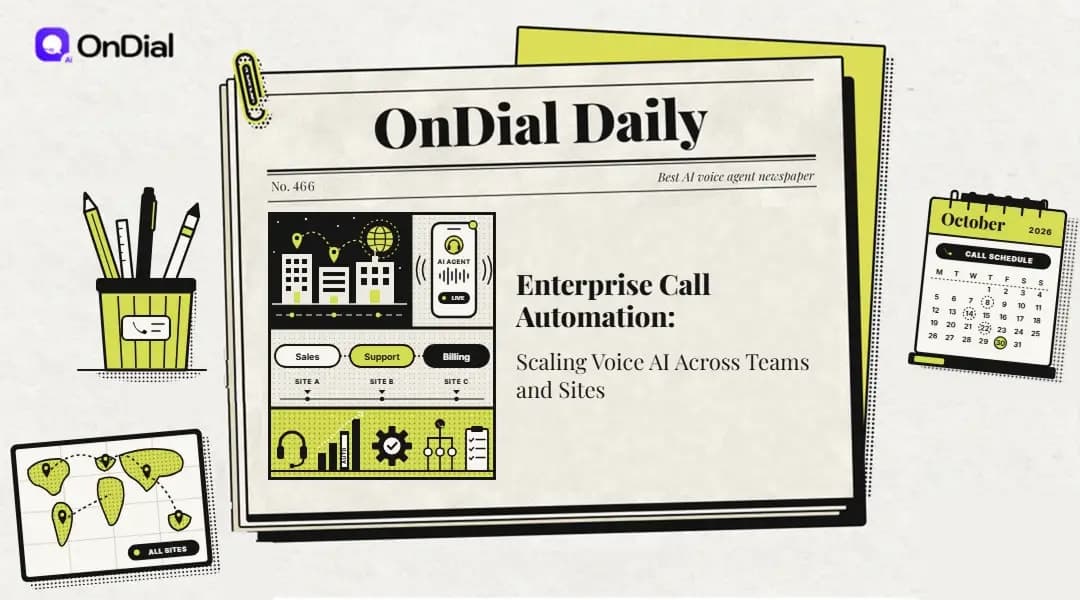
A regional insurer with four service centers might take 40,000 calls on the Monday after a hailstorm, and most callers want one of three things: claim status, a repair appointment, or a deductible answer. Enterprise call automation puts AI voice agents on those lines so routine requests get resolved, logged, and routed before a human ever picks up. If you are already building a shortlist, keep our AI voice agent vendor evaluation checklist beside you while you read, because most of what follows feeds straight into it.
Getting one agent to book appointments for one team is the easy part. The real work begins when billing, claims, and field service each want their own agent, every site has different numbers and holiday hours, and the security team wants one audit trail covering all of it. That coordination problem, more than voice quality, is where many large rollouts stall.
What Enterprise Call Automation Actually Means
Automating calls at enterprise scale means placing AI voice agents on your phone lines that answer and dial out, understand requests spoken in ordinary language, complete the task inside your business systems, and pass the caller to a person with full context when they cannot finish. The difference from an interactive voice response (IVR) menu is that callers describe the problem in their own words instead of pressing 2 for billing. The agent works out the intent, asks only for the details it is missing, and acts on them.
The word enterprise adds a second layer of requirements on top of the conversation itself. Hundreds or thousands of calls may run at once, several departments share the same infrastructure, and each location brings its own numbers, languages, and regulations. A tool that works well for a ten-person clinic front desk can buckle under those conditions, which is why scale deserves its own evaluation.
What Changes When You Go From One Team to Many
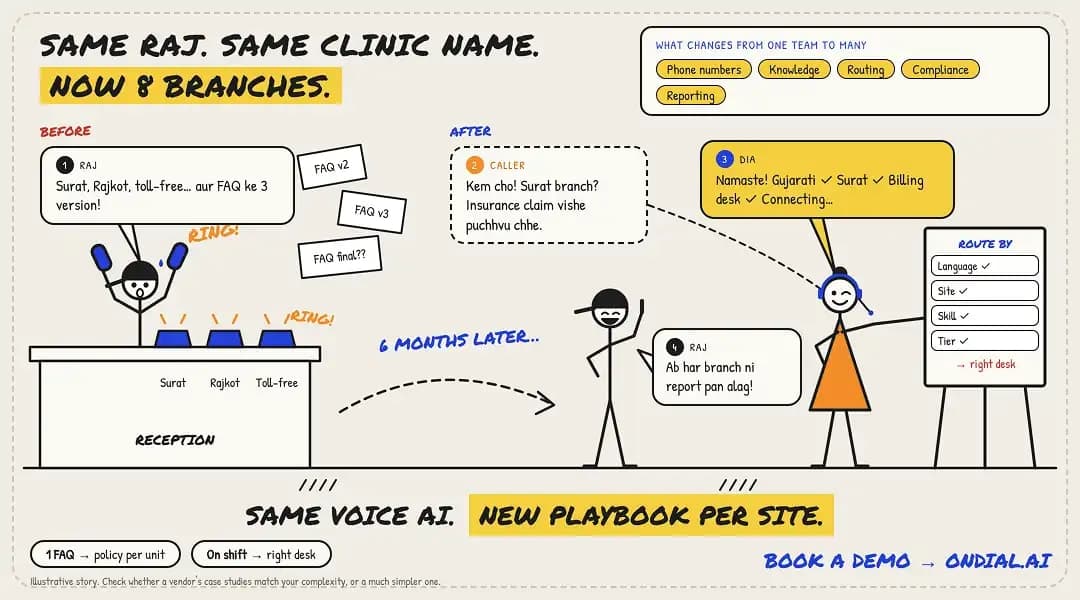
Moving from a single team to a multi-site operation changes almost every operational detail, even when the underlying voice technology stays the same. The table shows where those differences tend to surface first. Use it to check whether a vendor’s case studies reflect your level of complexity or a much simpler one.
Area | One team at one site | Many departments across many sites |
Phone numbers | A single main line that forwards to the agent after closing time | Dozens of local and toll-free numbers, each tied to a department and region |
Knowledge content | One FAQ document that the team lead updates by hand | Separate policy sets per business unit, each with a named owner and version history |
Routing | Transfers go to whoever happens to be on shift | Language, site, skill, and customer tier all shape where a handoff lands |
Compliance | Basic notice that the call may be recorded | Consent rules that change by country, state, and call direction |
Reporting | A weekly count of calls the agent picked up | Containment, transfer reasons, and cost per resolved call split by team and location |
How an AI Voice Agent Handles a Call From First Ring to CRM Record
An AI voice agent runs every call through a repeating loop of listening, understanding, acting, and speaking, then finishes with either a handoff to a person or a write-back to your systems of record. Knowing each stage helps you ask vendors sharper questions, because a problem at one step (slow transcription, say) shows up to callers as a problem at another (awkward pauses). Here is the sequence on a typical inbound call.
Call arrival and assignment: The call reaches the agent through your carrier, a SIP trunk (a virtual phone line delivered over the internet), or your existing contact center platform, and rules based on the dialed number, time of day, or caller history decide which agent answers.
Speech recognition: Automatic speech recognition turns the caller’s audio into text as they talk, ideally while filtering out traffic noise, speakerphone echo, and side conversations.
Intent and detail detection: A large language model or intent engine figures out what the caller is asking for and which required details, such as a policy number or postcode, are still missing.
Lookups and actions: The agent pulls approved answers from a knowledge base and calls connected systems to check an order, reserve a time slot, or update a record.
Guarded response: The reply is drafted inside guardrails that set mandatory disclosures, banned topics, and the limits of what the agent may promise.
Speech output and barge-in: Text-to-speech voices the reply, and barge-in detection cuts the audio the moment the caller starts talking over it.
Resolution or warm transfer: The agent either confirms the outcome and ends the call, or performs a warm transfer that hands a human the transcript and a short summary.
Post-call write-back: The transcript, call reason, outcome code, and any follow-up tasks land in your CRM or ticketing tool for reporting.
Each stage adds a little delay, and callers tend to notice the total gap between finishing a sentence and hearing a reply before they notice anything else. At scale, that same loop runs for every concurrent caller, so a platform that feels quick with five test calls can slow down badly at five hundred. Ask vendors for latency figures measured during real peak traffic, not just for a single demo call.
Multi-Department Call Automation: Where Each Team Finds Its Wins
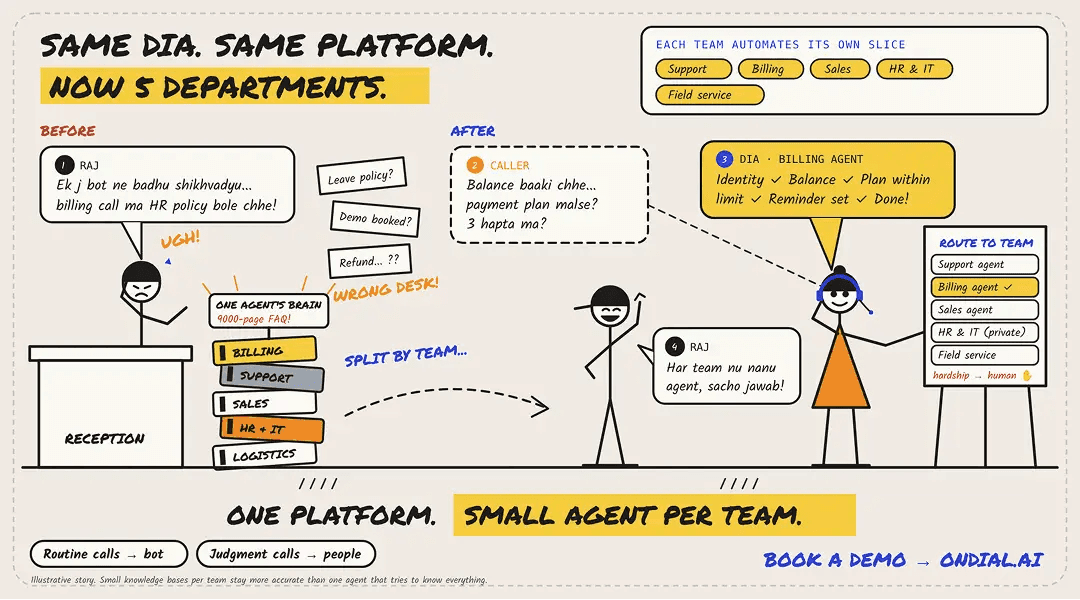
Departments usually automate different slices of their call volume, so a shared platform running team-specific agents tends to outperform one oversized agent that tries to know everything. Billing calls need payment logic and verification, sales calls need calendar access and lead scoring, and HR calls need strict privacy around employee records. Splitting agents by team keeps each knowledge base small enough to stay accurate.
Department | Calls that usually suit automation | Calls worth keeping with people |
Customer support | Ticket or order status checks, account unlocks after identity checks, warranty registrations | Complaints where a goodwill credit is on the table, or callers juggling several linked problems |
Billing and collections | Balance questions, payment reminders, payment plans that fall inside preset limits | Hardship requests, disputed charges, and anything needing a write-off decision |
Sales | After-hours lead qualification, demo booking, fast callbacks to fresh web form leads | Pricing negotiations and deals with several stakeholders |
HR and internal IT | Leave balance questions, laptop or access ticket intake, benefits deadline reminders | Grievances, medical leave conversations, and performance concerns |
Field service and logistics | Technician arrival updates, delivery rescheduling, visit confirmations the day before | Safety incidents and damaged shipment disputes |
Shared Core, Team-Owned Agents
The most durable setup is a hub-and-spoke model. A central platform team owns the plumbing every agent shares, including telephony, caller identity checks, logging, and the connectors into core systems. Each department then owns its own prompts, knowledge content, and escalation targets, so the collections team can adjust a payment script without filing a ticket that waits behind three other teams. This split is what lets enterprise call automation grow department by department without every change becoming a cross-team negotiation.
Connecting Agents to the Systems Each Team Already Uses
An agent that cannot read or write your records is limited to general questions, so integration depth decides how much of each department’s volume you can actually automate. Support agents typically need ticketing access, sales agents need the CRM and calendar, and billing agents need the payment system with tightly scoped permissions. For a closer look at connectors, field mapping, and sync timing, see our guide to AI voice agent CRM integration.
Budget for this work as its own line item. Gartner’s contact center forecast estimated integration at roughly $1,000 to $1,500 per conversational AI agent, and noted that some organizations reported costs as high as $2,000. Your actual figures will depend on how modern your systems are, but connectors are rarely free.
How to Scale AI Calling Across Sites Without Losing Central Control
Rolling out across locations works best when a central team owns the platform, guardrails, and reporting definitions, while each site configures its own numbers, hours, languages, and transfer contacts inside those limits. Get that split wrong in one direction and every site builds a slightly different agent that nobody can audit. Get it wrong in the other and a single central team becomes the bottleneck for every holiday-hours change in every city.
Decisions to Keep Central
How callers prove who they are before the agent discusses an account, including fallback steps when verification fails
Which speech, language, and voice models are approved, and who signs off before a model version changes
Retention periods for recordings and transcripts, plus automatic masking of card numbers and national ID numbers
Shared definitions for containment, transfer, and resolution so a Pune dashboard and a Phoenix dashboard measure the same thing
Mandatory disclosures, such as telling callers they are speaking with an automated agent where local rules require it
Decisions to Hand to Each Site
Local and toll-free numbers, and which department each one reaches
Opening hours, public holidays, and weather or outage announcements
Supported languages and the regional accents the agent should be tested against
Transfer destinations, from the local front desk to the regional supervisor queue
Short-term promotions or service notices that apply only in that market
Plan for Staggered Peaks
Sites in different time zones create rolling peaks rather than one big spike. A retailer with service desks in Mumbai and Dallas, for example, will see its Indian morning rush finish while Texas is asleep, then face a second surge roughly half a day later. Size concurrency for the worst overlapping hour across all regions, and confirm in writing what happens to callers when that ceiling is reached (queueing, overflow to humans, or a callback offer).
Give the Program an Owner
A small center of excellence keeps a multi-site program coherent. It usually includes someone from CX, IT, compliance, and operations who meet weekly to review a sample of transcripts, approve prompt or policy changes, and publish a change log every site can see. Without that group, small local edits pile up until no one can say exactly what the agent will tell a caller in a given city.
Security, Compliance, and Consent for Large Voice Programs
Voice automation at this size needs the same security controls as any system handling customer data, plus consent rules for automated calling that many teams only discover once outbound campaigns begin. Expect vendors to share independent audit reports such as SOC 2 Type II or ISO 27001 rather than badges on a website, along with encryption in transit and at rest. Role-based access control matters too, because a sales manager reviewing call quality has no reason to hear a billing call where a customer reads out bank details.
An enterprise voice AI program also has to settle where data lives. Data residency options, redaction of personally identifiable information in transcripts, and the vendor’s policy on using your recordings to train shared models should all be written into the contract rather than assumed. Our breakdown of AI voice agent security for enterprises covers the questions to put to vendors in more detail.
Consent Rules for Outbound AI Calls
Outbound calling carries legal exposure that inbound does not, and the rules shift by country. In the United States, a February 2024 FCC declaratory ruling confirmed that AI-generated voices fall under the Telephone Consumer Protection Act’s rules for artificial voices, so callers generally need the recipient’s prior express consent before placing these calls. Consent records therefore need to live somewhere the agent can check before it dials.
India’s Digital Personal Data Protection Rules, 2025 were notified in November 2025 with an 18-month phased compliance window that closes in May 2027. Penalties under the parent Act can reach Rs 250 crore per breach, so consent notices belong in your rollout plan from the start. None of this is legal advice, and counsel should review scripts and consent flows for each market you call into.
Platform Options Compared: Suites, Builder Tools, and Managed Agents
Enterprise buyers usually choose among three kinds of products: contact center suites that have added AI features, developer platforms for building custom voice agents, and managed voice agent platforms that ship configurable agents with enterprise controls already in place. Each type trades flexibility against speed and staffing in a different way. The right answer depends less on feature lists and more on who inside your company will maintain the agents a year from now.
Product type | Where it fits | What to watch |
Contact center (CCaaS) suite with AI add-ons | Large service operations already running workforce management, quality scoring, and omnichannel routing with one vendor | Long implementation projects, AI sold as separate modules, and per-seat pricing that rises with headcount |
Developer voice platform | Companies with in-house engineers who want to pick their own models, telephony, and orchestration logic | Total cost that only becomes clear once model, telephony, and hosting charges are stacked, plus ongoing engineering upkeep |
Managed voice agent platform | Teams that want production agents without staffing a voice engineering group, with integrations and governance supported by the vendor | Less low-level control, so check how custom logic, data export, and model choices are handled |
The managed category is where many mid-size and large companies land when they want working agents without building a voice engineering team. OnDial for Enterprise is one example of an offering aimed at this segment, and it is worth placing on a shortlist alongside the suite and builder options you are already weighing. Whichever enterprise AI voice platform you lean toward, insist on a pilot that uses your own recorded calls and your own peak volumes.
Limitations: What AI Voice Agents Still Get Wrong
AI voice agents still stumble on emotionally charged calls, very noisy or heavily mixed-language audio, long conversations that bundle several problems together, and any request that needs judgment beyond the written policy. Vendors improve on these every year, but the gaps are real enough to shape what you automate first. The constraints below are the ones most likely to affect a large rollout.
Customer Acceptance Is Not Guaranteed
Many callers remain wary of talking to software. When Gartner surveyed 5,728 customers in December 2023, 64% said they would prefer companies not use AI in customer service, and 53% said they would consider moving to a competitor if a company did. Their top concern was difficulty reaching a person, so a clear and fast route to a human does more for acceptance than a more natural-sounding voice.
Accuracy Depends on Current Knowledge
An agent is only as accurate as the policies and data it can see. When a refund rule changes on Monday and the knowledge base is updated on Friday, the agent spends four days giving confident, wrong answers. Large language models can also fill gaps with plausible-sounding details, which is why tight guardrails and regular transcript reviews matter.
Maintenance Is an Ongoing Cost
Gartner has pointed out that conversational AI capabilities need continuous support, updates, and maintenance after launch, which adds cost, and that complex large-scale deployments can take several years as more call flows are built and refined. Budget for a standing team rather than a one-time project. Prompts, integrations, and test suites all need named owners.
Audio Conditions and Languages Vary
Performance on a quiet headset call can differ sharply from a caller on a construction site or a speakerphone in a moving car. Callers who switch between Hindi and English mid-sentence, or between Spanish and English, can trip up recognition depending on the provider and model. Test with real recordings from each region before promising coverage.
Some Lines Are Better Left to People
Automation is not the right fit for every line. A private banking desk, a hospice intake line, or a key-account hotline for a top-ten customer usually earns more trust with a person answering on the first ring. For those lines, AI is better used behind the scenes for transcription and summaries than as the first voice a caller hears.
What It Costs and How to Judge the Return
Total cost combines usage charges (per minute, per call, or per resolution), telephony, integration work, and the internal staff time needed to maintain agents, so the comparison that matters most is cost per resolved call rather than headline price per minute. A cheap per-minute rate means little if the agent keeps callers on the line twice as long or transfers half of them anyway. Ask every vendor to model your volumes, average call length, and expected transfer rate.
The savings case rests mostly on labor. Gartner has noted that labor can account for as much as 95% of contact center costs, and it projected that conversational AI would cut agent labor costs by $80 billion in 2026, with about one in ten agent interactions automated that year, up from an estimated 1.6% when the forecast was made. Those are market-wide projections rather than a promise for your operation, but they explain why finance teams pay attention.
A Simple Way to Calculate Cost per Resolved Call
Take one department and one month. Add up the platform usage bill, telephony charges, and a fair share of integration and maintenance time, then divide by the number of calls the agent fully resolved without a transfer. If a billing team spends an illustrative $9,000 in a month and the agent closes 6,000 calls on its own, the cost is $1.50 per resolved call, which you can set against the fully loaded cost of a human-handled call that your finance team already tracks. Tracked by team and by site, this number is the clearest single measure of whether enterprise call automation is paying for itself.
Small queues often fail this test. If a department receives only a few hundred calls a month, setup and upkeep may cost more than the agent saves, and a better transcription or callback tool could be the smarter spend. Run the numbers queue by queue rather than averaging across the whole company.
Vendor Evaluation Steps That Separate Demos From Production
A sound evaluation tests each vendor on your own audio, your own integrations, and your own peak volumes instead of a scripted demo built to impress. Shortlist two or three providers and give each the same test pack. Score them on what actually happened, not on what the sales team says will happen after signing.
Your recordings, their transcripts: Send 100 anonymized calls from different sites and compare recognition accuracy on customer names, account numbers, and local place names.
Peak-hour load test: Ask for a supervised test at your highest expected concurrency, with latency reported at the slowest moments rather than as an average.
Live write-back: Watch the agent create or update a real record in a sandbox CRM during a test call, then confirm the fields match what your reporting needs.
Failure drills: Have staff call in angry, confused, or deliberately off-topic, and time how long each agent takes to reach a person.
Admin experience: Let a department lead change an answer or business hours without engineering help, and note how long the change takes to go live.
Exit terms: Confirm you can export transcripts, recordings, and configuration in usable formats if you ever switch providers.
Pricing at three volumes: Request quotes at current volume, double that, and a seasonal peak, with telephony and support tiers included.
A Phased Rollout Plan for Teams and Sites
The lowest-risk path is to launch one high-volume, low-judgment call type at one site, prove the numbers, and then expand by department and location in planned waves. Each wave should reuse the shared core built in the first one, so later launches get faster rather than slower. Treated this way, enterprise call automation becomes a series of small, measurable launches instead of one risky cutover. Outbound campaigns come last, once consent records and opt-out handling are proven.
Mine your call reasons: Pull a recent quarter of call logs or ticket tags and rank each reason by volume and by how much judgment it requires.
Pick the first call type: Choose something frequent and rule-based, such as appointment rescheduling or delivery status, at a site with a supportive manager.
Design the exits first: Decide how many failed understanding attempts trigger a transfer, what the agent says when queues are full, and how callers can reach a person at any point.
Start in the quiet hours: Point after-hours or overflow traffic at the agent before daytime calls, so early mistakes reach fewer people.
Review transcripts daily for two weeks: Fix misheard phrases, missing answers, and clumsy handoffs before widening the scope.
Report four numbers: Track containment rate, top transfer reasons, caller satisfaction, and cost per resolved call, split by site.
Add the second department: Reuse identity checks, logging, and connectors, and give the new team ownership of its own content.
Expand to new sites, then outbound: Bring each location in with local numbers, hours, and language testing, and add outbound reminders or campaigns only after consent checks are live.
Planning Your First Wave
The organizations that get lasting value from voice automation start with one narrow call type, measure it honestly, and expand only when the numbers hold up. If you already know which queue you want to automate first and roughly how many calls it takes each month, a scoping conversation can test that plan against your systems, sites, and compliance needs. Contact sales to map a pilot for one department and see what the second wave could look like.