A customer calls your shop at 7 p.m. Nobody is there to pick up. They hang up and dial the next business on their list. That quiet moment, the ring nobody answers, is where a lot of small businesses lose money without ever noticing. An AI receptionist is built to catch those calls. It answers the phone, works out what the caller wants, and takes action, whether that means booking a slot, answering a question, or passing an urgent call to you.
This guide explains what the technology is, how it works step by step, what it costs, and how to tell whether it fits your business. No jargon left undefined.
What is an AI receptionist?
An AI receptionist is software that answers your business phone calls, holds a natural back-and-forth with the caller, and completes routine tasks like booking appointments or taking messages, without a person picking up.
Think of it as a phone-answering layer that runs on artificial intelligence (AI), the same kind of language technology behind tools like ChatGPT. It listens, figures out the caller's intent, and responds in real time. Many systems also connect to your calendar, your customer records, and your text messaging, so they can finish a task during the call instead of just leaving you a note.
The label gets used loosely. Some vendors call the same product an AI phone assistant, an AI answering service, or a virtual answering AI. The names differ, but the core idea is a conversational assistant that talks to callers and gets things done.
The confusing vocabulary, explained
The terms around automated phone answering overlap a lot, and the differences matter when you compare tools. Before you shop, it helps to know what each one actually means.
Tool | What it is | What it can do | Best for |
Auto-attendant / IVR | An automated menu, the "press 1 for sales" phone tree (IVR stands for interactive voice response) | Routes calls by keypad or fixed commands. Cannot hold a conversation | Simple call routing |
Voicemail / basic answering service | Records or takes a message when you are unavailable | Captures a message, sometimes transcribes it | Never missing that a call happened |
Human virtual receptionist | A trained person answering your calls remotely | Handles nuance, empathy, and odd requests, one call at a time | Sensitive or complex calls |
AI answering service | A smart version of voicemail | Answers, captures the caller's details, and summarizes the call | Catching missed calls cleanly |
AI receptionist | Conversational AI that talks and acts | Understands speech, answers questions, books appointments, routes calls, follows up | Handling routine calls end to end |
The short version: an auto-attendant routes, an answering service captures, a human handles judgment, and the AI option tries to do the routine talking and doing on its own.
How an AI receptionist actually works
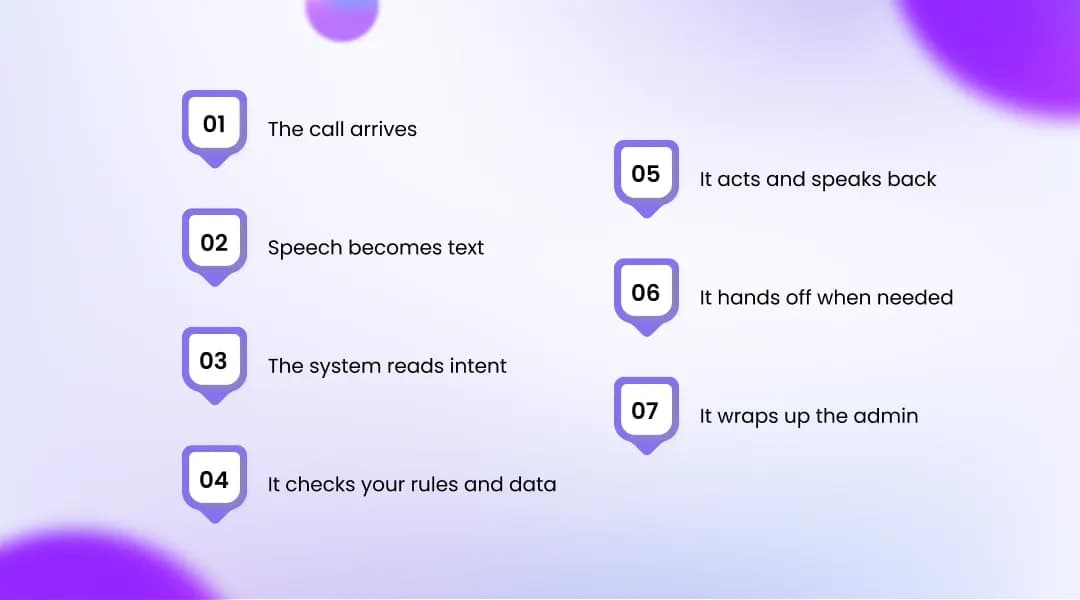
An AI receptionist works by turning a caller's speech into text, figuring out what they want, deciding what to do, and then speaking back, all in a few seconds. Behind that simple experience is a short pipeline.
Here is the end-to-end flow in most setups:
The call arrives. Your business number forwards to the assistant. You choose how: every call, only overflow when your line is busy, or only after-hours calls.
Speech becomes text. Speech recognition (also called speech-to-text) converts what the caller says into words the software can read.
The system reads intent. Natural language processing (NLP), the technology that lets software interpret everyday language, works out why the person is calling, whether to book, ask a question, reschedule, or reach a specific person.
It checks your rules and data. The assistant follows the workflows you set and looks at connected tools, your calendar, your CRM (the database of customer records), and your list of FAQs, to find the right answer or an open slot.
It acts and speaks back. Text-to-speech turns the reply into a natural-sounding voice. The system books the slot, answers the question, or collects the caller's details.
It hands off when needed. If a request is urgent, sensitive, or outside its scope, it transfers the call to a person, usually with a note on what the caller wanted.
It wraps up the admin. After the call, most systems log a transcript, send a confirmation text, update your records, and flag anything that needs follow-up.
The voice side of this, the part that listens and talks, is often sold on its own as a voice agent. Providers such as OnDial package that capability as AI Voice Agents, which can sit in front of a booking flow or a call-routing setup.
The reason these systems suddenly sound human is recent progress in large language models and cloud voice processing. Voices now carry realistic pauses and pacing, so on many calls people do not notice they are speaking with software.
What an AI phone assistant can do
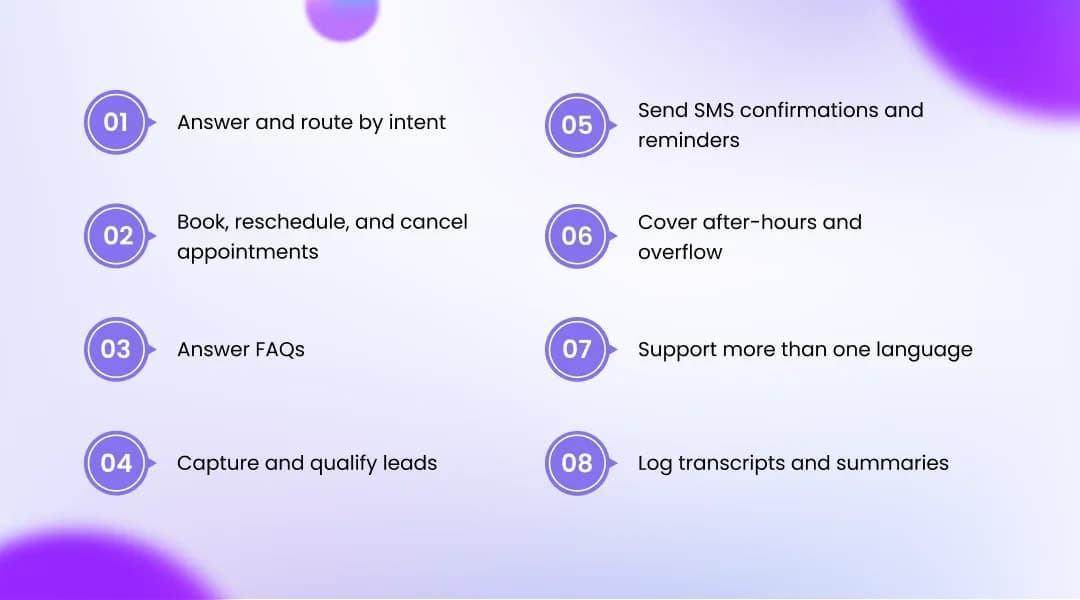
A modern phone assistant can do most of the routine work a front desk handles by phone, plus a few things a person cannot, like answering ten calls at once at midnight. Exact features vary by provider, but the common ones are:
Answer and route by intent. It sends the call to the right place based on what the caller says, not which button they press.
Book, reschedule, and cancel appointments. It checks a connected calendar and completes the change during the call.
Answer FAQs. Hours, location, pricing, and policies get consistent answers pulled from a knowledge base you approve.
Capture and qualify leads. It asks your intake questions and records the details for follow-up.
Send SMS confirmations and reminders. Text confirmations give callers a record and can cut down on no-shows.
Cover after-hours and overflow. It picks up evenings, weekends, and call surges that would otherwise hit voicemail.
Support more than one language. Many, though not all, systems handle multilingual calls.
Log transcripts and summaries. You get a searchable record of who called and what happened.
AI vs. human receptionist: how they compare
An AI answering system wins on availability, capacity, and cost, while a human wins on judgment, empathy, and handling the unexpected. Neither is better across the board, so the right pick depends on the kind of calls you get.
Factor | AI phone assistant | Human receptionist |
Availability | 24/7, including holidays | Staffed hours only |
Calls at once | Many at the same time | Usually one at a time |
Cost | Monthly subscription, sometimes usage fees | Salary plus benefits and training |
Consistency | Same answer every time | Varies by person and day |
Complex or emotional calls | Follows set paths, then transfers | Reads the room and adapts |
Setup time | Minutes to a few weeks | Weeks to hire and train |
Personal relationships | Limited | Builds real rapport with regulars |
For cost context, the median wage for receptionists in the United States was $17.90 an hour in May 2024, according to the U.S. Bureau of Labor Statistics. That works out to roughly $37,000 a year at full-time hours, before benefits, taxes, and coverage for sick days. Software with no breaks and no overtime changes that math, though it does not replace the human touch a regular customer values.
Most businesses land on a blend: software handles the routine and the overflow, and people handle the calls that need a human.
Who benefits most (and who can wait)
You benefit most from a phone assistant if calls drive your bookings or revenue and you are missing some of them. You can probably wait if you get only a handful of calls a day and answer them with ease.
Phone still matters more than many owners assume. In a McKinsey survey of 3,500 consumers, 71% of Gen Z respondents said a live phone call was the quickest and easiest way to reach customer service, a preference shared even by the most digital generation.
A good fit usually looks like this:
Calls go unanswered after hours or during busy stretches.
Staff get pulled off other work to answer routine questions.
Call volume is growing faster than your team can keep up.
It is probably not worth it yet if:
You get only a few calls a day and rarely miss one.
Your calls are mostly emotional, high-stakes, or one-of-a-kind.
That second point is worth sitting with. If a caller is upset, confused, or dealing with something delicate, a bot can frustrate them fast. In those cases you are better served by a person, or by a hybrid setup where the software greets and routes and a human takes over.
What it costs, and how pricing works
Pricing for an AI receptionist for business usually falls into a few models, and knowing them makes provider quotes far easier to compare. The number on the page means little until you know how it is counted.
Pricing model | How you pay | Watch out for |
Flat monthly | One price for a tier of usage | Overage fees once you pass the cap |
Per interaction | A price per handled conversation | Cost climbs with call volume |
Per minute | A rate for talk time | Long calls add up quickly |
Per call | A price for each answered call | Short and long calls cost the same |
On top of the plan, check the setup model. Do-it-yourself platforms can be live in minutes for a low monthly fee. Done-for-you services cost more but handle the configuration for you. Many entry-level plans start on the lower end, while systems that connect to your calendar and complete bookings tend to cost more, since they do more.
If you are trying to work out whether the math holds for a small team, a worked example helps more than a price list. One walk-through of how OnDial helps small businesses save time shows where the hours and dollars actually add up.
How to get started
Getting started takes less setup than hiring, but it is not instant, and rushing it is the main reason these tools disappoint. A sensible rollout looks like this:
Decide where calls route. Start with overflow or after-hours only, so the software proves itself before it handles everything.
Feed it your business details. Hours, services, pricing, and common questions become its knowledge base. Some tools scan your website or Google Business Profile to speed this up.
Connect your tools. Link your calendar and CRM so it can actually book and log, not just talk.
Set escalation rules. Define which calls it should transfer, and to whom.
Test with real and weird calls. Try normal requests, then throw odd questions and heavy accents at it. Fix the gaps before launch.
A basic setup can run in a few minutes on some platforms. A fully connected, tested system for a busy practice can take a few weeks. Both are normal.
What an AI receptionist can't do
An AI receptionist has clear limits, and treating it like it has none will cost you callers. It is a tool for the routine, not a full stand-in for a person.
Here is where it falls short:
It misunderstands sometimes. Heavy accents, background noise, or a tangled request can trip it up. A fallback plan matters.
It has no real empathy. For grief, complaints, or anxious callers, scripted warmth is not the same as a person who cares.
It is only as good as its setup. Feed it thin or wrong information and it will confidently give thin or wrong answers.
It struggles with the truly novel. Requests that fall outside its trained paths need a human.
Compliance is on you. If your system records or transcribes calls, consent laws apply. Federal law in the United States allows one-party consent, but around a dozen states require all-party consent, meaning the caller must be told the call is recorded. Many providers add an automated disclosure for this reason, but the responsibility sits with your business, and this is general information, not legal advice.
None of these are dealbreakers. They are reasons to launch carefully, keep a human in the loop, and check the transcripts in the first few weeks.
The bottom line
An AI receptionist is not magic, but for a phone-driven business it can quietly recover the calls, bookings, and leads you are losing after hours and during rushes. The trick is to match it to your call types, keep a human path for the hard calls, and test it before you trust it with everything.
The fastest way to know if it fits is to hear one handle your kind of call. Most vendors let you try before you commit, so you can book a free demo and listen to how it takes a real booking or answers a real question.