Customers call when they want to book. They may ask for a specific employee, service, location, date, or time. They may need to reschedule an existing appointment, cancel it, ask a question before booking, or call outside business hours.
For many businesses, these conversations still depend on a receptionist or support team manually checking calendars and updating records. When several calls arrive at once, customers wait, staff members switch between systems, and some booking opportunities disappear completely.
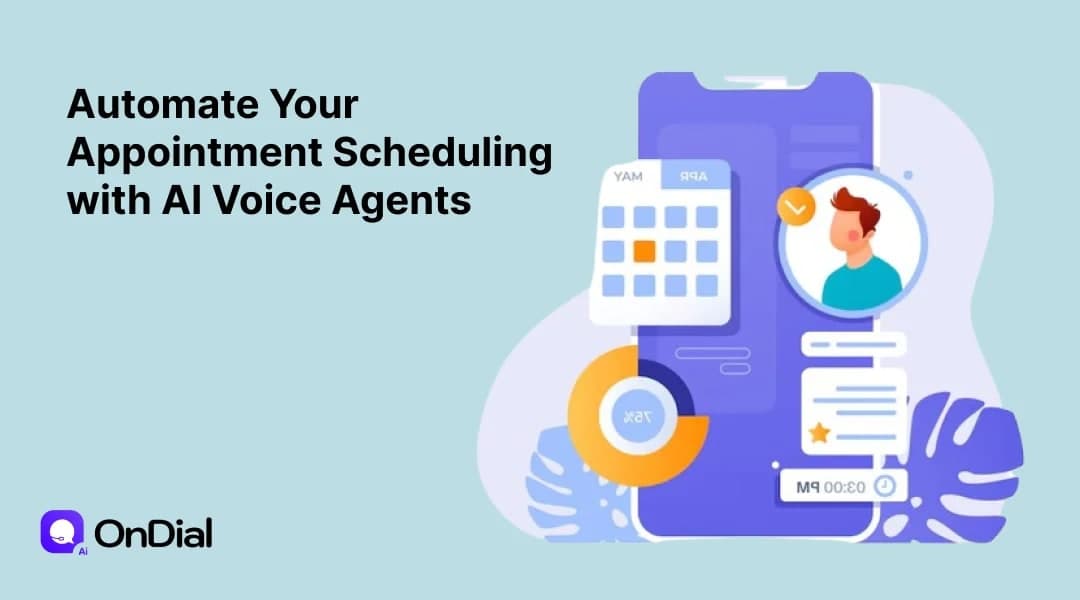
AI voice agents provide another approach. Instead of simply answering a call or directing customers through an IVR menu, a conversational voice agent can understand the caller's request, check available appointment slots, complete the booking, update connected systems, and confirm the next step during the same conversation.
The value is not simply that AI can answer a phone call. The real opportunity is connecting the conversation to the business workflow that needs to happen after the call.
What Does AI Appointment Scheduling Mean?
AI appointment scheduling uses conversational artificial intelligence to manage appointment related conversations over the phone.
A customer can call a business and explain what they need using normal language. The AI voice agent interprets the request, collects the information required by the scheduling workflow, checks availability, and presents suitable options.
Once the customer selects a slot, the system can create or update the appointment in the connected scheduling system and provide confirmation.
This creates a complete conversational workflow instead of separating communication from scheduling.
For example, a customer might say:
"I need to speak with an advisor sometime Thursday afternoon."
The AI agent can identify the service, understand the preferred day and time range, check availability, offer suitable options, and confirm the selected appointment.
That is fundamentally different from an automated message that simply tells the caller to visit a website.
Why Businesses Struggle With Traditional Appointment Scheduling
Traditional appointment scheduling often works well at low volume. Problems appear when demand becomes unpredictable or the business operates across multiple locations, employees, services, or time zones.
Missed calls become missed bookings
A customer calling during lunch, after business hours, or while every employee is already on another call may reach voicemail.
The customer then has to call again, submit a form, or wait for a callback. Every additional step creates another opportunity for the customer to abandon the process.
Staff spend time on repetitive conversations
Appointment teams repeatedly answer questions such as:
"Do you have anything available tomorrow?"
"Can I move my appointment?"
"What time does the specialist have available?"
"Can I cancel and book another day?"
These conversations are important, but many follow predictable workflows. Automating the repetitive parts allows employees to spend more time on situations that require judgment or personal attention.
Manual calendar updates create operational friction
When an employee has to move between the phone system, calendar, CRM, scheduling platform, and notes, information can be missed or entered incorrectly.
A connected AI scheduling workflow can reduce this manual handoff by allowing the conversation and the booking action to happen within one process.
How AI Voice Agents Automate Appointment Scheduling
A reliable appointment scheduling workflow usually follows several stages.
1. The AI answers the call
The customer reaches the business number and the AI voice agent starts the conversation.
The agent can introduce the business, identify the purpose of the call, and determine whether the customer wants to make a new booking, change an existing appointment, cancel, or ask a general question.
2. The AI understands the request
The caller does not need to follow a rigid script.
The agent can extract relevant information such as:
Appointment type
Preferred date
Preferred time
Location
Employee or provider
Customer details
Existing appointment information
The workflow can then determine what information is still required before a booking can be completed.
3. The AI checks live availability
This is one of the most important parts of automated appointment scheduling.
The agent should not rely on an outdated list of available times. It needs access to the relevant calendar or scheduling system so that availability reflects the current state of the business.
OnDial's appointment scheduling service is designed around live availability, calendar connectivity, CRM updates, confirmations, rescheduling, and cancellation workflows.
4. The AI offers suitable appointment times
Instead of asking an open ended question such as "When would you like to come in?", the agent can provide available options.
For example:
"I have Tuesday at 10:30 AM or Wednesday at 2 PM available. Which works better for you?"
This makes the conversation easier and reduces unnecessary back and forth.
5. The appointment is confirmed
After the caller selects a time, the system confirms the details.
The appointment can then be written into the connected calendar or scheduling system, depending on the configured workflow.
6. The customer receives confirmation
A strong appointment workflow does not end when the phone call ends.
Confirmation can be delivered through the communication channels supported by the business, such as SMS or email. The objective is to give the customer a reliable record of the appointment and reduce confusion later.
Booking Is Only One Part of Appointment Automation
One of the biggest mistakes businesses make when evaluating AI scheduling is looking only at the initial booking.
A complete appointment workflow should also account for what happens before and after the appointment.
Rescheduling
Customers frequently need to change an appointment rather than cancel it completely.
An AI voice agent can identify the existing booking, understand the customer's preferred alternative, check available slots, and update the appointment when the workflow permits it.
This removes the need for a customer to start the entire process again.
Cancellations
Cancellation requests can also be handled through the same conversational flow.
The agent can verify the appointment, process the cancellation, provide the appropriate confirmation, and trigger the next business action when configured.
Reminders
A booking is valuable only when the customer actually attends or completes the scheduled interaction.
Automated reminders can help customers remember upcoming appointments and provide an opportunity to confirm or request a change.
For healthcare organizations in particular, conversational reminders can combine confirmation, rescheduling, and other appointment related interactions into a single workflow.
Where AI Appointment Scheduling Creates the Most Value
AI voice scheduling can apply to many appointment driven businesses.
Healthcare and clinics
Healthcare organizations manage high volumes of appointment calls, cancellations, rescheduling requests, and reminders.
An AI voice agent can help patients book or change appointments while allowing clinical and front desk teams to focus on conversations that require human involvement.
For healthcare businesses, privacy, access control, escalation rules, and compliance requirements should be considered before deployment.
AI inbound call agents for healthcare
Real estate
Real estate teams can use voice agents to schedule property visits, consultations, and follow ups.
The agent can collect basic information about the buyer's requirements before arranging a suitable time for a sales representative or property specialist.
Salons and personal services
Salons, spas, fitness centers, and other appointment driven businesses often receive calls when employees are busy serving customers.
An AI voice agent can handle booking requests without requiring staff to stop their current work.
Professional services
Consultants, financial advisors, legal professionals, agencies, and other service providers can use AI scheduling to coordinate consultations and discovery calls.
The workflow can also collect qualifying information before the meeting, giving the employee useful context before speaking with the customer.
Automotive and field services
Automotive dealerships, repair centers, home service companies, and similar businesses often need to match appointments with specific resources.
The scheduling workflow may need to consider technician availability, service type, location, equipment, or appointment duration.
AI Appointment Scheduling vs Traditional IVR
Traditional IVR systems are useful for directing callers through predefined menus.
The problem is that menus require customers to understand the structure created by the business.
A conversational AI voice agent allows customers to explain their needs naturally.
An IVR might say:
"Press 1 for appointments. Press 2 for cancellations. Press 3 for support."
A conversational system can instead understand:
"I need to move my appointment from Friday to Monday afternoon."
That difference becomes important when appointment workflows involve multiple conditions or when customers do not know which menu option applies to their situation.
The goal is not necessarily to eliminate every IVR. Businesses can combine conversational AI, structured workflows, and human escalation depending on the complexity of their calls.
What to Look for in an AI Appointment Scheduling Platform
Not every voice AI system is a complete scheduling solution.
Before selecting a platform, evaluate the operational workflow rather than focusing only on the voice quality.
Live calendar integration
The system should work with the calendars or scheduling platforms your business already uses.
Ask whether it can read availability and create, modify, or cancel appointments in real time.
Rescheduling and cancellation
Do not evaluate booking in isolation.
Confirm that the platform can handle the full appointment lifecycle and follow the rules your business requires.
CRM connectivity
Appointment information should not remain isolated inside the voice platform.
CRM connectivity can allow the business to record caller information, appointment details, call outcomes, and follow up actions.
Human handoff
Some conversations should reach a person.
A good system should know when the request falls outside its configured workflow and transfer the call with useful context rather than forcing the customer to repeat everything.
Multilingual conversations
Language support is particularly important for businesses serving diverse Indian and international customer bases.
The system should be evaluated for actual conversational quality, regional accents, code switching, and the languages customers use in real calls.
Analytics
Businesses need to understand what happens after automation is deployed.
Useful reporting can include call outcomes, bookings, cancellations, transfers, frequently asked questions, failed conversations, and other workflow metrics.
How to Implement AI Appointment Scheduling Successfully
Technology alone does not guarantee a good customer experience.
The scheduling workflow needs to be designed around how the business actually operates.
Start with one appointment workflow
Begin with a clearly defined process.
For example, a clinic might start with new patient appointment booking. A dealership might begin with service appointment scheduling.
Once the workflow is stable, additional use cases can be introduced.
Define business rules before launch
Document rules such as:
Which services can be booked automatically
Which employees can be scheduled
How much appointment duration varies
Which calendars should be checked
What information must be collected
Which requests require human approval
When cancellations are allowed
When calls should be transferred
Clear rules make the AI more reliable.
Test real conversations
Testing should include normal requests as well as interruptions, unclear dates, accents, background noise, changes of mind, cancellations, and requests outside the intended workflow.
The objective is to understand where the AI performs well and where human escalation is necessary.
Measure business outcomes
Do not judge the system only by how natural the voice sounds.
Track outcomes such as completed bookings, missed calls, reschedules, cancellations, transfer rates, booking completion time, and staff time saved.
These measurements show whether automation is improving the actual appointment process.
The Future of Appointment Scheduling Is Conversational
Appointment scheduling is moving from a simple calendar task toward a conversational business workflow.
Customers increasingly expect to communicate in the way that feels easiest to them. For many businesses, that still means picking up the phone and speaking to someone.
AI voice agents allow that phone conversation to connect directly with calendars, CRMs, reminders, and business rules.
The most useful systems will not simply sound human. They will understand what the customer wants, take the correct action, know when they cannot safely complete a request, and involve a human when necessary.
That is the difference between a voice bot that answers questions and an AI system that actually participates in business operations.
Businesses evaluating this technology should therefore start with the workflow rather than the technology label. Identify where calls are being missed, which scheduling tasks consume staff time, where customers abandon the booking process, and which actions can safely be automated.
Then build the AI workflow around those problems.
OnDial AI Voice Agents can connect conversational voice interactions with appointment scheduling, business workflows, and customer communication, giving teams a practical way to automate repetitive appointment conversations while keeping human support available for situations that need it.
Conclusion
Automating appointment scheduling with AI voice agents is not simply about replacing a receptionist with a voice bot.
The real opportunity is to connect the entire appointment journey.
A customer calls. The AI understands the request. Availability is checked. A suitable slot is offered. The appointment is recorded. Confirmation is sent. Future reminders can be triggered. Rescheduling and cancellation requests can follow the same workflow. Complex situations can move to a human.
When these pieces work together, appointment scheduling becomes faster for customers and less repetitive for employees.
For businesses that depend on appointments, the strongest AI strategy is therefore not to automate every conversation blindly. It is to automate predictable scheduling work, connect the AI to the systems that control availability, measure the results, and preserve human involvement wherever judgment matters.