Every inbound call is an opportunity to answer a question, capture a lead, complete a transaction, schedule an appointment, or resolve a customer issue.
The problem is that traditional phone operations often depend on staff availability. During peak hours, after business hours, holidays, or sudden demand spikes, calls can wait too long or go unanswered.
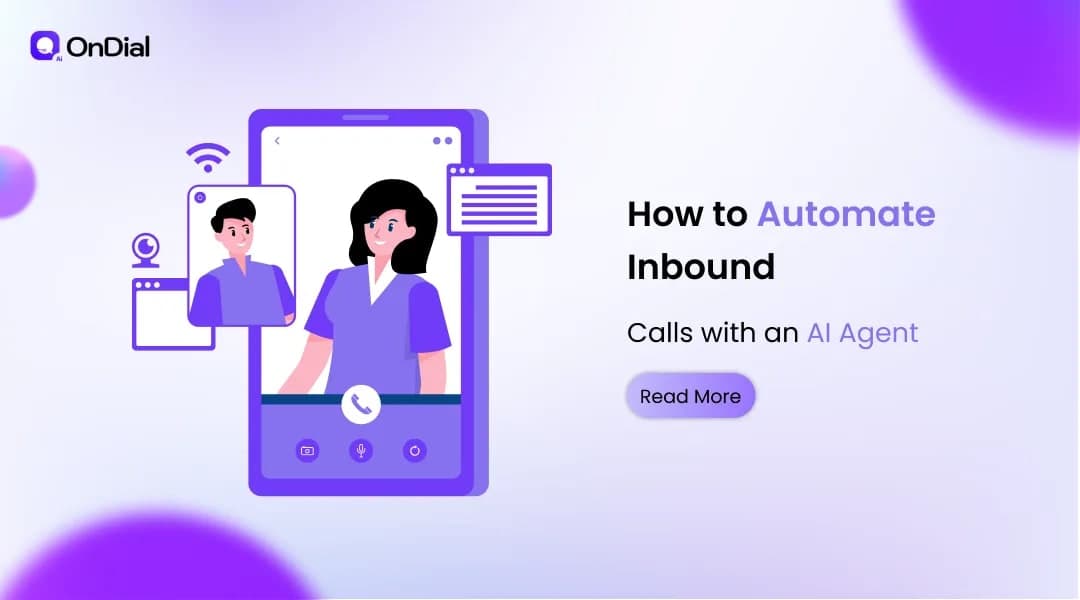
AI voice agents change the way businesses handle inbound calls. Instead of forcing callers through a fixed IVR menu, a conversational AI agent can listen to what a caller says, understand the intent, access relevant business information, complete approved actions, and transfer the conversation to a human when required.
For businesses in India and global markets, this creates a practical way to expand phone availability without making every call dependent on additional headcount.
This guide explains how to automate inbound calls with AI voice agents, what the implementation process looks like, which calls should be automated first, how integrations work, and what businesses should measure after deployment.
What Does Inbound Call Automation Mean?
Inbound call automation means using software to answer and manage incoming business calls with limited or no human intervention for predefined workflows.
A basic automated system might simply greet callers and route them through numbered options. An AI voice agent can go further by interpreting natural language and deciding what information or action is required.
For example, a caller might say:
"I need to move my appointment from Friday to Monday afternoon."
Instead of asking the customer to navigate several menu options, the AI can identify the request as an appointment change, check the connected scheduling system, confirm available times, and complete the booking if the workflow permits it.
This distinction is important. Effective inbound call automation is not simply about answering the phone. It is about connecting the conversation to a business process.
How AI Voice Agents Handle an Inbound Call
A useful AI inbound call system generally follows a sequence of conversational and operational steps.
1. The AI Answers the Call
The caller reaches the business number and the AI voice agent answers according to the configured greeting and business rules.
The opening can identify the business, explain that the caller is interacting with an AI assistant where appropriate, and invite the caller to describe what they need.
The objective is to start the conversation without unnecessary menu navigation.
2. Speech Recognition Converts the Caller’s Voice
The system processes the caller's speech and converts it into information that the conversational model can interpret.
Real-world conversations can include accents, interruptions, background noise, incomplete sentences, and code-switching. These conditions make speech recognition an important part of the overall experience.
For Indian businesses, multilingual and regional-language support can also matter because customers may move between English, Hindi, Hinglish, Gujarati, Tamil, Marathi, Telugu, or other languages during a conversation.
OnDial states that its AI Voice Agent platform supports 100+ languages and 50+ regional accents, with automatic language detection and mid-call language switching.
3. The AI Identifies Intent
After understanding the caller's words, the agent determines what the caller is trying to accomplish.
Possible intents include:
Booking an appointment
Rescheduling an appointment
Checking an order
Asking about a product
Requesting account information
Reporting a service issue
Asking about a policy
Requesting a quotation
Qualifying a sales enquiry
Speaking with a human representative
Intent detection allows the system to select the appropriate workflow instead of giving the same generic response to every caller.
4. The Agent Collects Only the Required Information
The next step is gathering the information needed to complete the request.
For an appointment, that might include the customer's name, preferred date, service, and contact details.
For a sales enquiry, it might include the product of interest, requirements, location, budget range, and purchase timeline.
A good workflow avoids asking for information that is irrelevant to the task. The objective is a shorter and more useful conversation, not a longer questionnaire.
5. The AI Takes Action
This is where inbound call automation becomes more valuable than a conventional IVR.
The agent can connect to business systems through integrations or APIs and perform approved actions during the call.
Depending on the deployment, this can include:
Checking order information
Booking or rescheduling appointments
Retrieving account information
Qualifying leads
Creating or updating records
Sending confirmations
Creating support tickets
Routing calls
Triggering follow-up workflows
OnDial's current AI Voice Agent platform describes live API execution for activities such as retrieving customer records, checking order status, booking appointments, and qualifying leads.
Which Inbound Calls Should You Automate First?
Not every call should immediately be handed over to AI.
The strongest starting point is usually a high-volume workflow that is repetitive, structured, measurable, and relatively low risk.
Frequently Asked Questions
If customers repeatedly ask the same questions about business hours, products, services, policies, delivery status, or basic account processes, these calls can often be good automation candidates.
Appointment Scheduling
Appointment-based businesses can automate booking, rescheduling, confirmation, and basic scheduling enquiries.
Healthcare providers, educational institutions, salons, professional services, automotive businesses, and other appointment-driven organizations can benefit from this workflow.
Order and Delivery Enquiries
E-commerce and logistics businesses often receive calls about order status, delivery timing, returns, and related questions.
When the AI can securely access the relevant order system, it can provide current information instead of asking the customer to wait for a representative.
Lead Qualification
Inbound sales calls are another strong use case.
The AI can ask predefined qualification questions, identify buying intent, capture important details, and route high-priority opportunities to the sales team.
This is particularly useful when marketing campaigns generate more calls than the sales team can immediately answer.
Routine Customer Support
Simple troubleshooting, account questions, service information, and status requests can often be handled automatically.
Complex cases should remain eligible for human escalation.
How to Build an AI Inbound Call Workflow
Successful deployment starts with the workflow, not the AI voice.
Step 1: Audit Your Existing Calls
Review call recordings, transcripts, dispositions, support tickets, and call logs.
Group calls according to intent.
For example:
Call type | Frequency | Complexity | Automation potential |
Business hours | High | Low | High |
Appointment booking | High | Medium | High |
Order status | High | Medium | High |
Product questions | High | Medium | High |
Complaint escalation | Medium | High | Medium |
Complex negotiation | Low | High | Low |
The exact priorities will differ by business. The important point is to start with evidence from actual calls rather than automating everything at once.
Step 2: Define the AI's Responsibilities
Create clear boundaries around what the agent can and cannot do.
For example:
The AI can answer pricing questions.
The AI can check appointment availability.
The AI can book an available appointment.
The AI cannot approve an unusual refund.
The AI must transfer a caller who requests a human representative.
These boundaries reduce unpredictable behaviour and make testing easier.
Step 3: Connect the Required Business Systems
An AI agent becomes significantly more useful when it can access accurate information.
Common integrations include:
CRM systems
Calendars
Order management systems
Help desks
Ticketing platforms
ERP systems
Payment systems
Internal databases
Communication tools
OnDial lists integrations including Salesforce, HubSpot, Google Calendar, Outlook, Calendly, Twilio, Slack, Zapier, and proprietary internal APIs.
Step 4: Design the Conversation
The conversation should be designed around customer intent rather than a long script.
A typical flow might look like:
Caller connects → greeting → intent detection → verification → clarification → action → confirmation → CRM update → summary or escalation.
The agent should also be able to handle interruptions and changes in direction.
For example, a caller might start by asking about a product, then ask about delivery, and finally request a sales representative. The workflow needs to preserve the context instead of restarting the conversation.
Step 5: Build Human Escalation Rules
Human handoff should not be treated as a failure.
It is part of a well-designed automation system.
Escalation can be triggered by factors such as:
The caller explicitly asks for a human
The issue falls outside the agent's permitted workflow
The caller expresses significant frustration
The request involves sensitive decisions
Required information is unavailable
The AI cannot confidently determine the caller's intent
When the call is transferred, the human should receive useful context rather than asking the customer to repeat everything.
OnDial's platform describes context-aware transfers that provide the human agent with the transcript, intent, and sentiment.
Inbound Call Automation Across Different Industries
The workflow changes depending on the business.
Healthcare
Healthcare organizations can automate appointment scheduling, reminders, basic administrative questions, follow-ups, and other structured patient communication.
For regulated workflows, privacy, access controls, consent, and escalation rules must be considered before deployment.
See how AI voice agents for healthcare and medical teams can be applied to appointment and patient communication workflows.
Real Estate
Real estate businesses can use inbound voice AI to capture property enquiries, qualify buyers and sellers, schedule property viewings, and route high-intent prospects to agents.
The key advantage is preserving lead information even when a salesperson cannot answer immediately.
E-commerce
E-commerce businesses can automate order tracking, product questions, delivery enquiries, returns information, and peak-season call overflow.
The AI becomes especially useful when it is connected to current order and customer information.
Insurance and Financial Services
Insurance and financial organizations receive many structured enquiries, but these workflows can involve sensitive information.
AI should therefore operate within clearly defined permissions and verification processes, with human escalation available for complex or regulated decisions.
Call Centers and BPOs
Call centers can use AI for tier-one support, repetitive enquiries, routing, information collection, and post-call processing.
A hybrid model can allow AI to absorb predictable volume while human agents focus on exceptions and higher-complexity interactions. OnDial's call center offering specifically positions AI and human coverage as a combined operating model.
AI Inbound Calls vs Traditional IVR
Traditional IVR remains useful for simple routing, but it has limitations.
A caller may need to remember which menu option matches their problem, listen through several choices, and restart the process when their request does not fit neatly into the menu.
Conversational AI changes the interaction model.
Capability | Traditional IVR | AI voice agent |
Fixed menu navigation | Yes | Not required |
Natural language | Limited | Yes |
Intent detection | Limited | Yes |
Business system actions | Varies | Yes, with integrations |
Appointment booking | Sometimes | Yes |
Lead qualification | Limited | Yes |
Human escalation | Yes | Yes |
Context during transfer | Limited | Can be preserved |
Multilingual conversation | Usually predefined | Can support dynamic language workflows |
Call analytics | Basic to advanced | Conversation-level analytics |
The goal is not necessarily to remove every IVR component. In some organizations, a hybrid architecture can use IVR for initial routing and AI for conversational workflows.
How to Measure AI Inbound Call Automation
Launching the agent is only the beginning.
The system should be measured against operational and customer outcomes.
Call Answer Rate
Measure how many inbound calls are answered automatically compared with the previous process.
This helps establish whether the deployment is actually improving accessibility.
Resolution Rate
Track how many calls are resolved without human intervention.
A high resolution rate can indicate strong automation, but it should not be optimized blindly. A system that avoids human escalation by giving poor answers is not successful.
Transfer Rate
Measure how frequently calls are transferred to humans and why.
A rising transfer rate for one intent may indicate missing knowledge, an integration problem, or an overly restrictive workflow.
Appointment and Booking Completion
For appointment-driven businesses, measure completed bookings rather than simply counting conversations.
Lead Qualification Rate
Sales teams should track how many inbound calls become qualified opportunities and how quickly qualified leads reach human representatives.
Customer Experience
Monitor customer satisfaction, sentiment, repeat contacts, abandonment, and complaint patterns.
Conversation analytics can reveal problems that traditional call metrics miss.
Cost per Resolved Call
The useful financial metric is not simply the cost of the AI platform.
Compare the total operating cost of the automated workflow against the cost of handling the same workload manually, while accounting for resolution quality and escalation.
Common Mistakes When Automating Inbound Calls
AI voice automation can fail when the business focuses on the technology rather than the customer journey.
Automating Too Much Too Quickly
Start with a limited number of high-value workflows.
Once the system performs reliably, expand into additional intents.
Using Outdated Business Information
An AI agent cannot provide reliable answers if the knowledge base contains old pricing, discontinued products, outdated policies, or incorrect operating hours.
Information governance is therefore part of voice AI implementation.
Ignoring Human Escalation
Customers should have a clear path to human assistance when automation is not appropriate.
Measuring Only Call Volume
Answering more calls is useful, but it does not prove that customers are receiving better service.
Measure resolution, conversion, satisfaction, escalation, and business outcomes.
Treating Voice AI Like a Script
A rigid script can recreate many of the limitations of an IVR.
The agent needs structured business rules, but it also needs enough conversational flexibility to understand how people actually speak.
How to Choose an AI Voice Agent Platform
Before selecting a platform, evaluate the complete operating model.
Ask these questions:
Can It Understand Real Conversations?
Test accents, interruptions, incomplete sentences, background noise, and different ways of expressing the same intent.
Can It Take Real Actions?
An AI that only answers FAQs may have limited operational value.
Check whether it can connect to your CRM, calendar, order system, help desk, or internal APIs.
Can It Escalate Intelligently?
Ask what information reaches the human agent during a transfer.
A good handoff should preserve relevant context.
Can It Support Your Customer Base?
For Indian businesses, language support can be particularly important. Test the languages and accents your customers actually use rather than relying only on a language-count claim.
Can You Measure Performance?
Look for transcripts, summaries, intent analytics, call outcomes, escalation reasons, and other operational metrics.
Does It Meet Your Security Requirements?
Review how recordings, transcripts, customer information, integrations, permissions, retention, and access are handled.
How OnDial Approaches Inbound Call Automation
OnDial positions its AI Voice Agent platform around the combination of conversation and business action.
The platform describes a workflow in which the agent understands intent, retrieves information from connected systems, executes approved actions, updates CRM records, sends confirmations, and escalates calls with context when required.
For businesses evaluating the technology, the important question is not simply whether an AI can talk.
The better question is whether the AI can reliably complete the work that happens during the call.
That distinction separates a voice interface from an operational voice agent.
What the Future of Inbound Call Automation Looks Like
Inbound voice AI is moving from basic question answering toward workflow execution.
Instead of simply responding to "What are your opening hours?", an agent can potentially recognize the caller, understand the reason for the call, retrieve relevant information, complete an action, update the business record, send confirmation, and recommend the next step.
Multilingual conversations are also becoming more important in markets such as India, where customers may naturally switch between languages during a call.
The long-term value will come from context, integrations, reliable automation, and appropriate human oversight rather than voice quality alone.
Final Takeaway
The strongest way to automate inbound calls is not to replace every human conversation.
It is to identify the calls that are repetitive, structured, high-volume, and suitable for automation, then connect those conversations to the systems that allow the AI to actually complete the required work.
Start with your call data.
Choose a few high-value intents.
Connect the required business systems.
Define escalation rules.
Test real conversations.
Measure the outcomes.
Then expand.
Businesses that approach inbound call automation this way can turn the phone from a queue-management problem into a more responsive customer and revenue channel.
For businesses evaluating the broader technology, OnDial AI Voice Agents provide a platform for inbound and outbound conversations, business-system integrations, multilingual communication, analytics, and human handoff.